


Conversational
Programming
A hand-drawn skyline: the Illinois campus inked on the left gives way to an imagined future city, then to pencil sketches, then to a bare horizon line running off the page.

Walkthroughs

The Room Display

What the projector shows during an activity: the section and its clock, the pairs, who still needs a partner, and the music the room added, taking turns by who added what.

2 minutes · 12 steps · 4 screens at once, in step with each other: The projector · the room display · Geoff · the pair room · Jordan · the pair page · Priya · the pair page. The screens a step is about are lit while it plays. Each step's words are below the film, and the player's captions are there if you want them on the picture.

What You're Looking At

This is a rehearsal, not a class. The students are invented: they're the personas we use to test this course on itself. Wherever an agent or a companion speaks, its words were generated by gpt-5.6-luna, the model the course ran on until September 24, recorded once and replayed since so the run comes out the same every time. Everything else is the software students use: the real pages, the real proxy, the real timer, the real companion.

Three kinds of substitution are made for publication, and only these three. Where a screen would show the rehearsal rig's own 127.0.0.1 address or its scratch folder, it reads as the real one instead. A setup token is shortened, because a token should never be shown whole even when it's a throwaway from a test database. And where a film needs a website that isn't anybody's, a student's own site or one a student went and found, it is an invented page served by the rig, shown under an address ending in .example. Nothing else on any screen is altered.

Step by Step

  1. 010:00The projector · the room display

    Before class, the projector shows the display page: linked from the activity page, for the instructor only. Nothing is playing yet, and the plan is listed so the room can see what's coming.
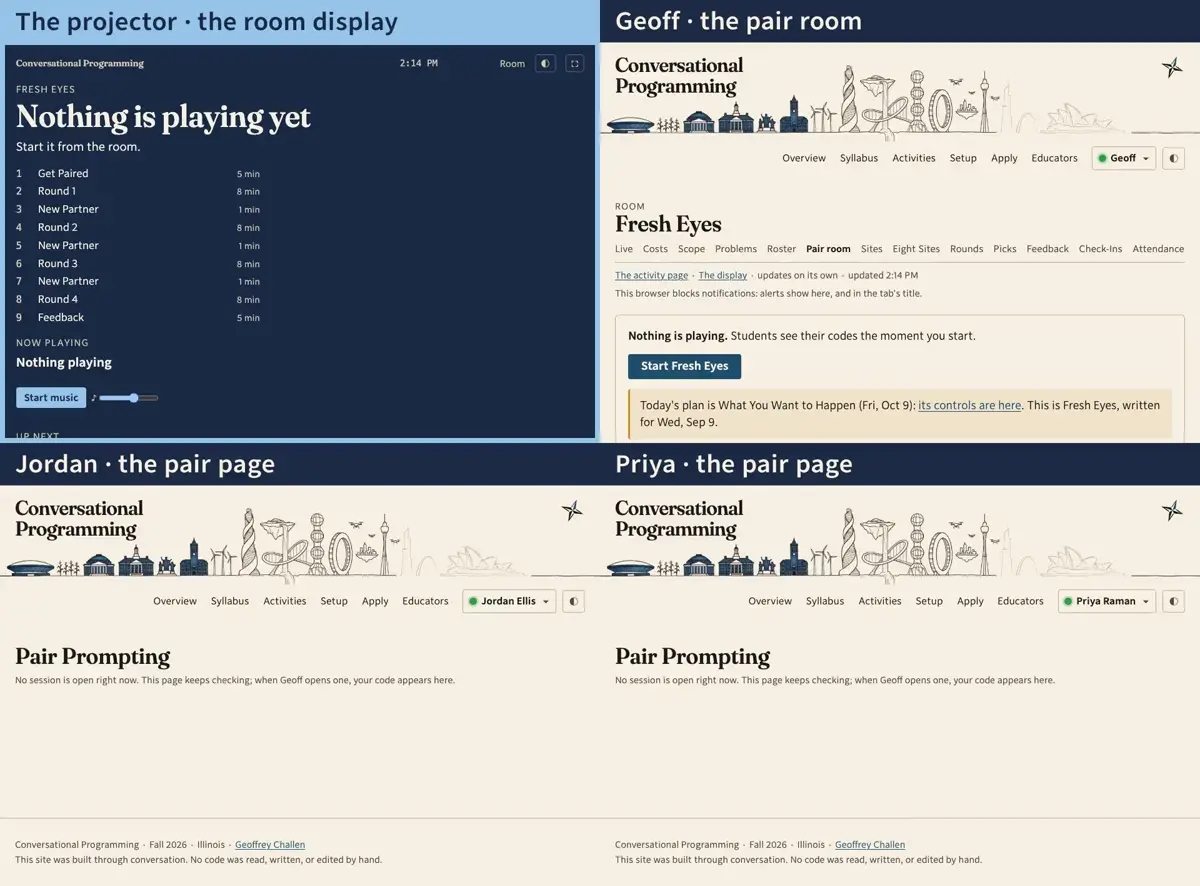
    Step 1: Before class, the projector shows the display page: linked from the activity page, for the instructor only. Nothing is playing yet, and the plan is listed so the room can see what's coming.
  2. 020:11The projector · the room display · Geoff · the pair room

    Geoff opens Fresh Eyes's controls from its activity page and presses Start. The display follows: the section the room is on, what students are told, and a clock counting down its five minutes.
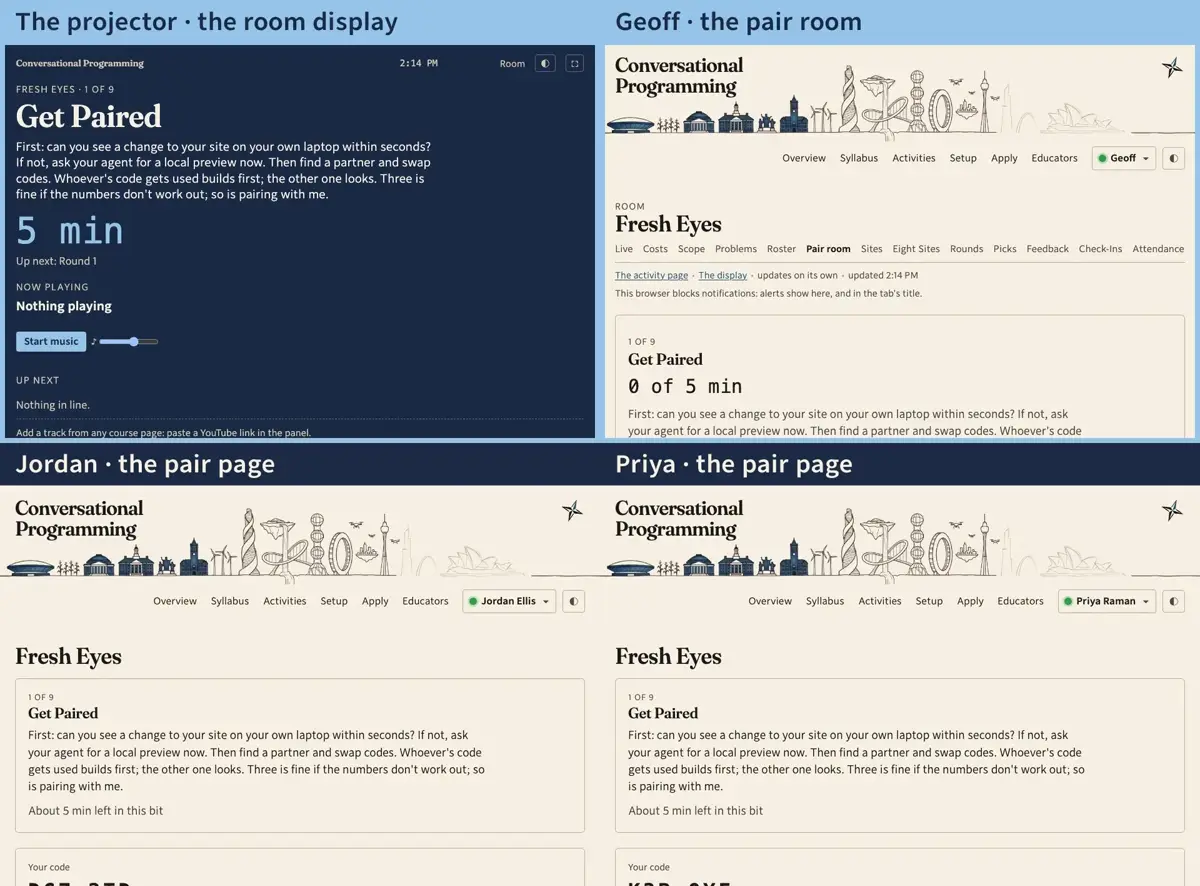
    Step 2: Geoff opens Fresh Eyes's controls from its activity page and presses Start. The display follows: the section the room is on, what students are told, and a clock counting down its five minutes.
  3. 030:23Jordan · the pair page

    Every student page now has an activity panel: the section, the time left, what's playing, and a box for a YouTube link. Jordan, still waiting for a partner, pastes a song.
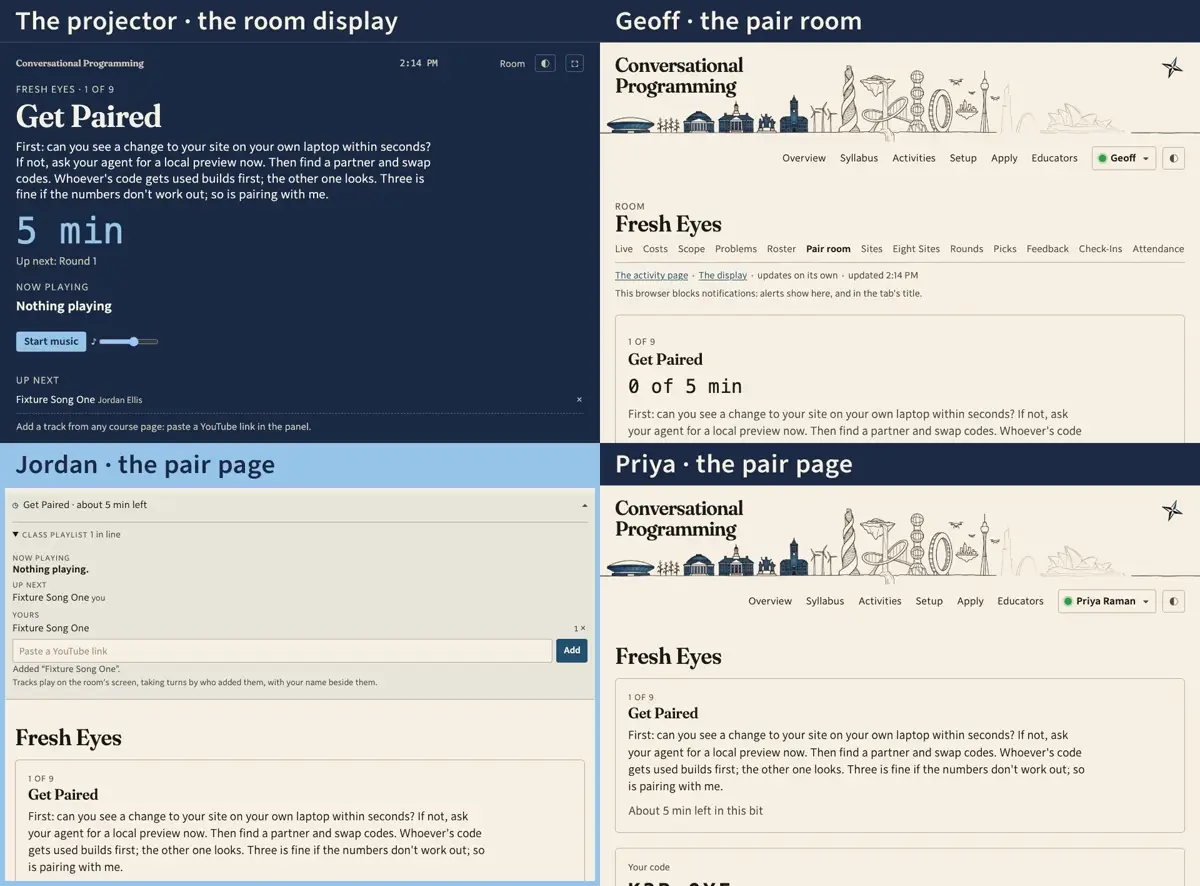
    Step 3: Every student page now has an activity panel: the section, the time left, what's playing, and a box for a YouTube link. Jordan, still waiting for a partner, pastes a song.
  4. 040:35Priya · the pair page

    Priya pastes a whole playlist. Everything YouTube will let the room play goes in; the one private video is skipped, and the panel says so.
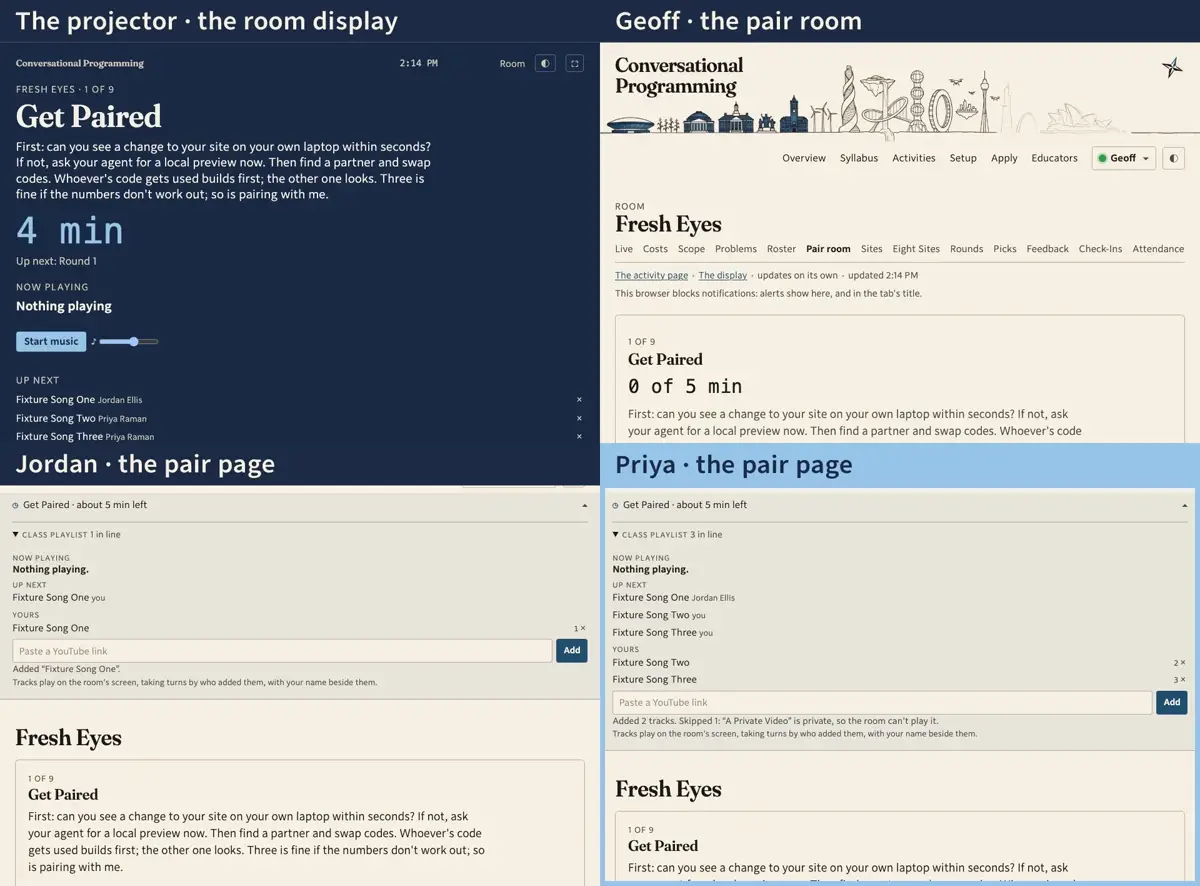
    Step 4: Priya pastes a whole playlist. Everything YouTube will let the room play goes in; the one private video is skipped, and the panel says so.
  5. 050:44The projector · the room display · Priya · the pair page

    The queue takes turns by who added what, not by who pasted fastest: Jordan's song, then one of Priya's, then her other one. The display lists what's next with the adder's name.
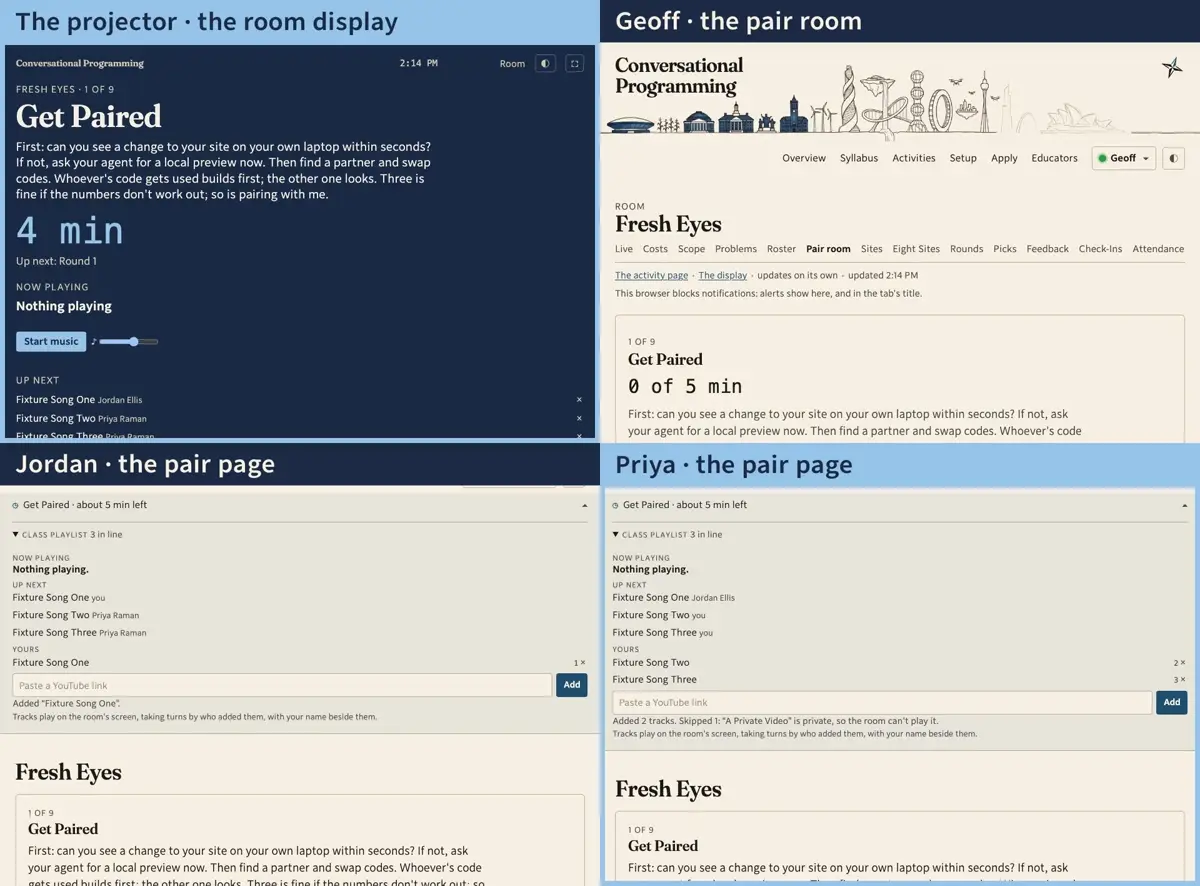
    Step 5: The queue takes turns by who added what, not by who pasted fastest: Jordan's song, then one of Priya's, then her other one. The display lists what's next with the adder's name.
  6. 060:55The projector · the room display · Jordan · the pair page · Priya · the pair page

    Priya types Jordan's code. On the projector the pair appears as a card: who is building, who is critiquing, and a dot per person for whether their agent has been busy.
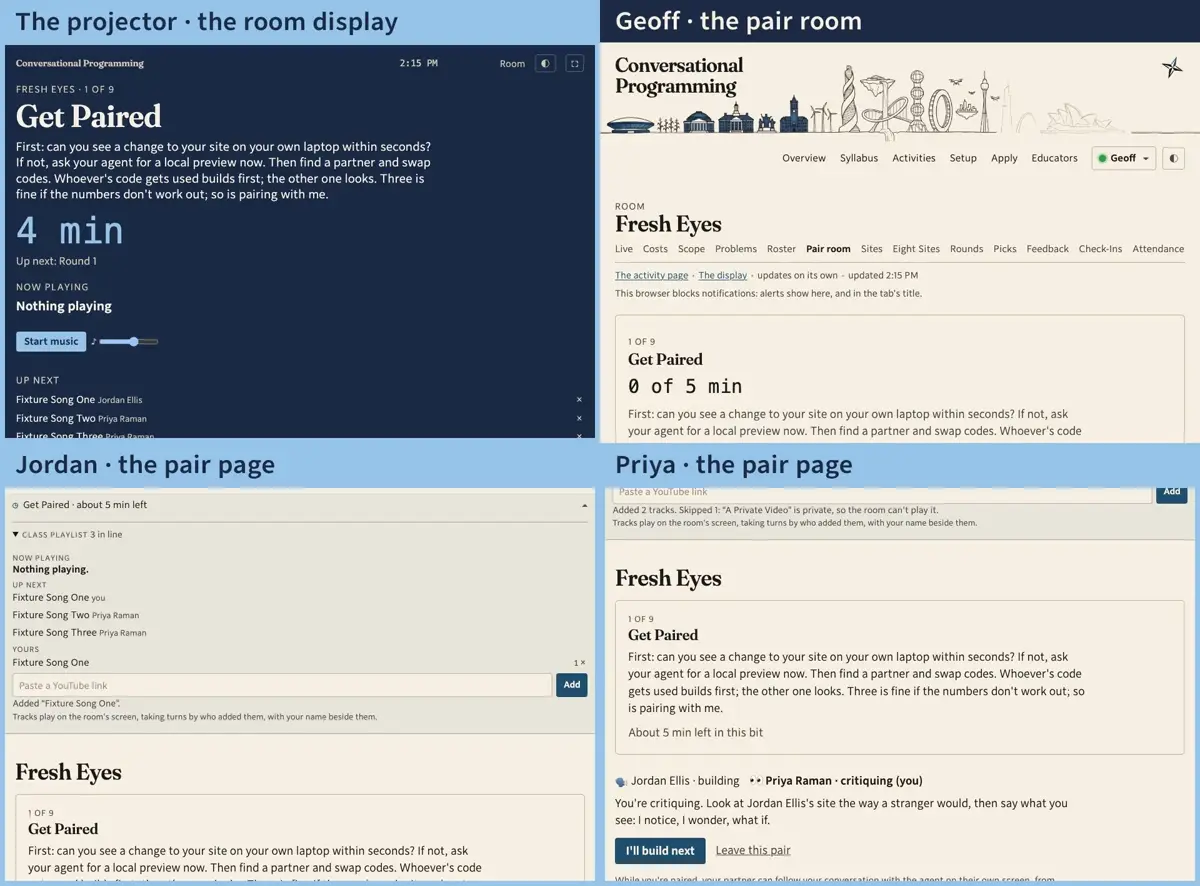
    Step 6: Priya types Jordan's code. On the projector the pair appears as a card: who is building, who is critiquing, and a dot per person for whether their agent has been busy.
  7. 071:08The projector · the room display

    Geoff presses Start music. The display is the one player in the room: it asks the course what's next, plays it, and reports back. Here a stand-in plays the part of YouTube's player, since a recording can't carry someone else's song.
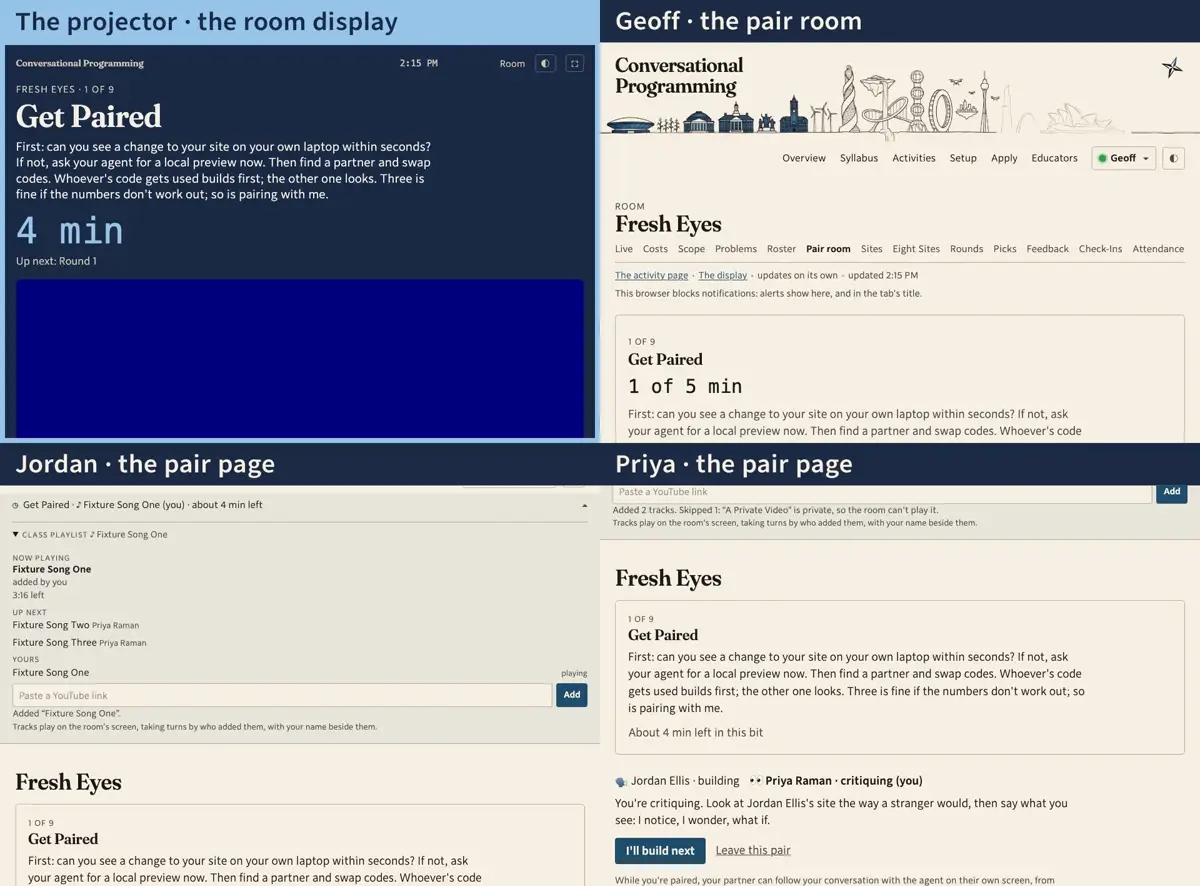
    Step 7: Geoff presses Start music. The display is the one player in the room: it asks the course what's next, plays it, and reports back. Here a stand-in plays the part of YouTube's player, since a recording can't carry someone else's song.
  8. 081:19Jordan · the pair page · Priya · the pair page

    Jordan's panel says what's on and that it's his; Priya's says whose it is. Nobody has to look up from their partner to know.
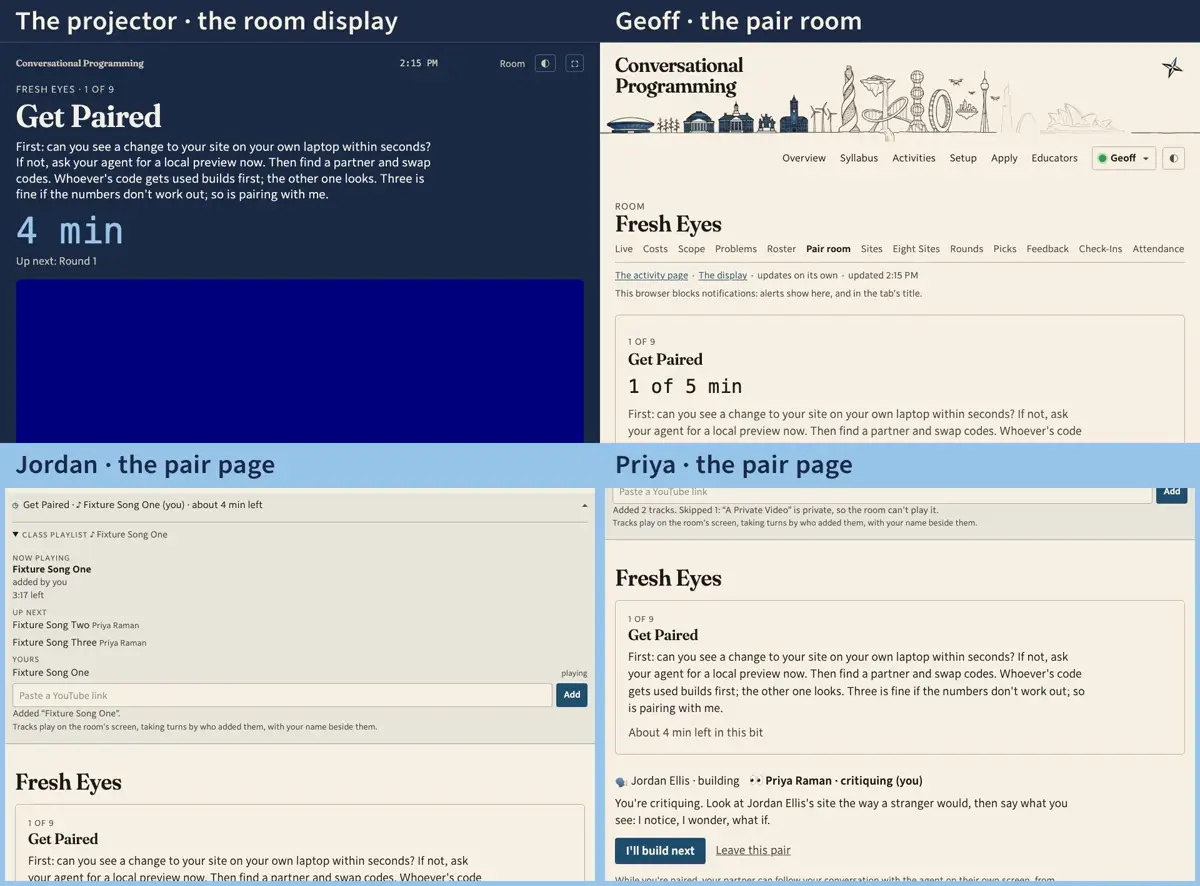
    Step 8: Jordan's panel says what's on and that it's his; Priya's says whose it is. Nobody has to look up from their partner to know.
  9. 091:27The projector · the room display · Geoff · the pair room

    Geoff presses Next and the room is on Round 1: eight minutes on the projector's clock, and the pair's roles beside their names.
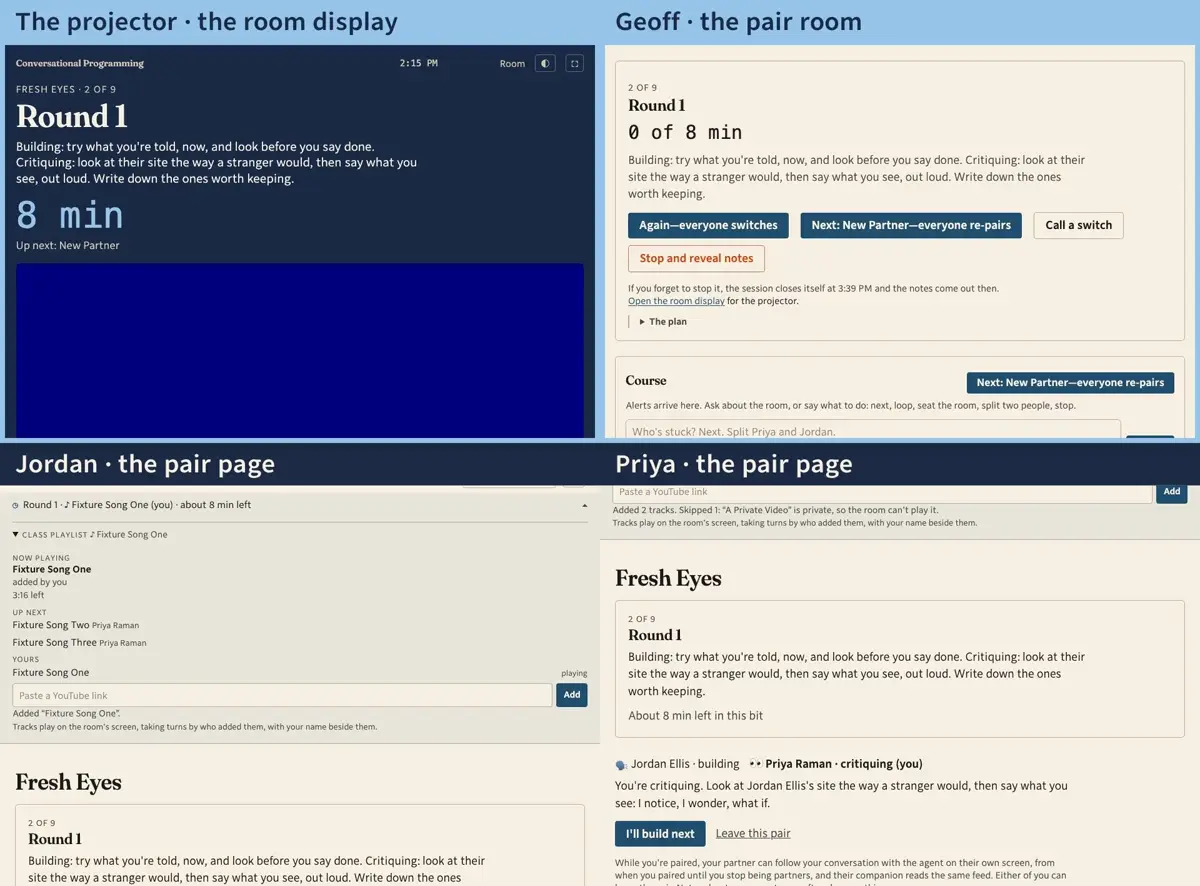
    Step 9: Geoff presses Next and the room is on Round 1: eight minutes on the projector's clock, and the pair's roles beside their names.
  10. 101:39The projector · the room display · Jordan · the pair page · Priya · the pair page

    The song ends and the display moves on by itself, to Priya's. Jordan's panel shows his as played; it won't come round again until everything else has.
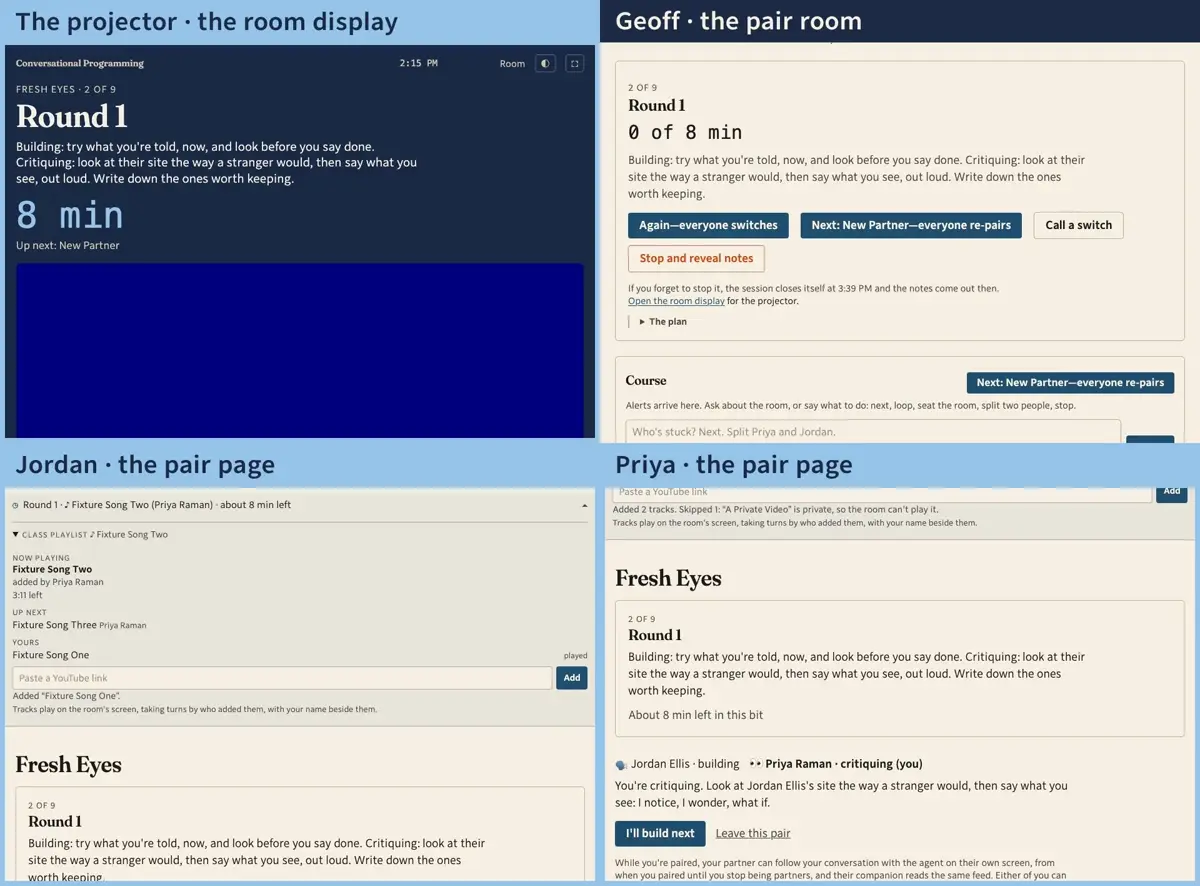
    Step 10: The song ends and the display moves on by itself, to Priya's. Jordan's panel shows his as played; it won't come round again until everything else has.
  11. 111:55The projector · the room display

    Skip is Geoff's, from the display or from anywhere he's signed in. The room hears the next one.
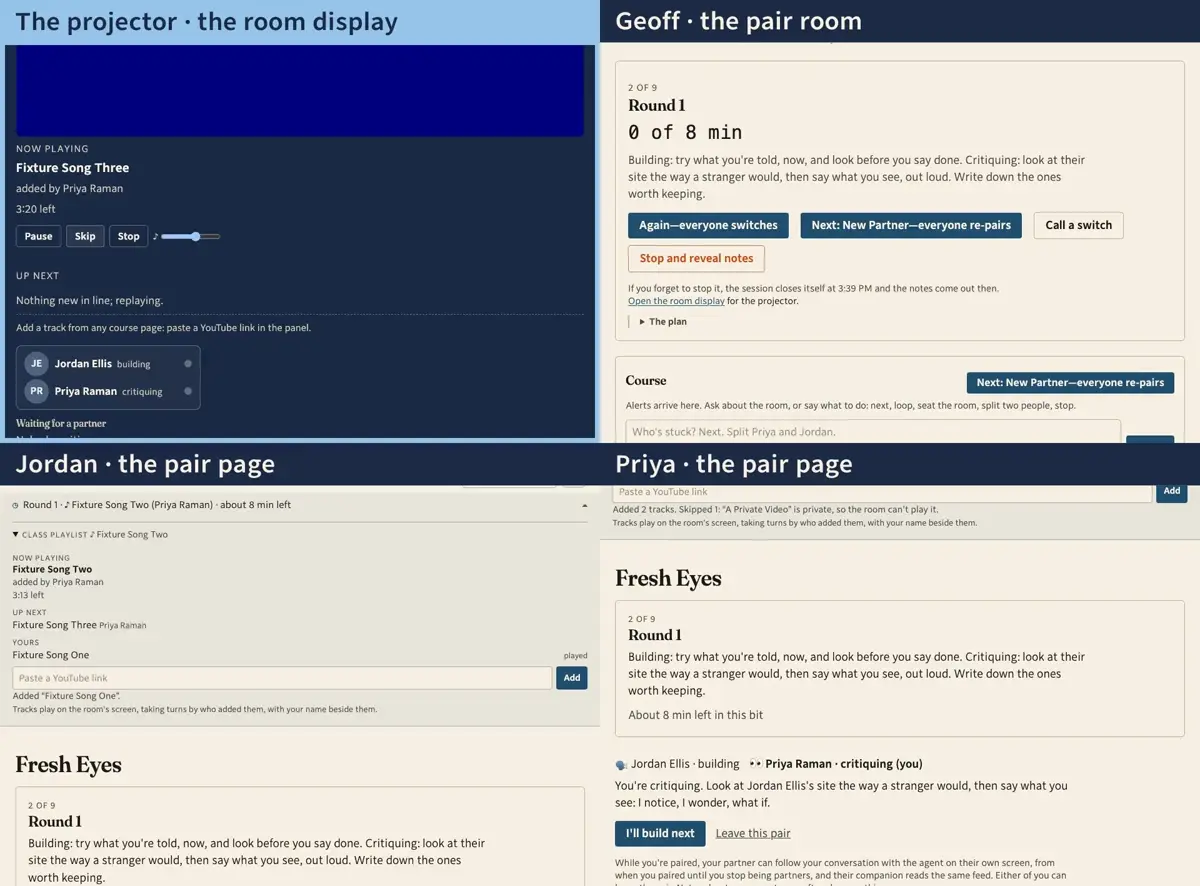
    Step 11: Skip is Geoff's, from the display or from anywhere he's signed in. The room hears the next one.
  12. 122:01The projector · the room display · Geoff · the pair room

    After class Geoff stops the session. The display goes back to waiting for the next one, but the music doesn't: the queue is the course's, and whatever didn't play today plays first next time.
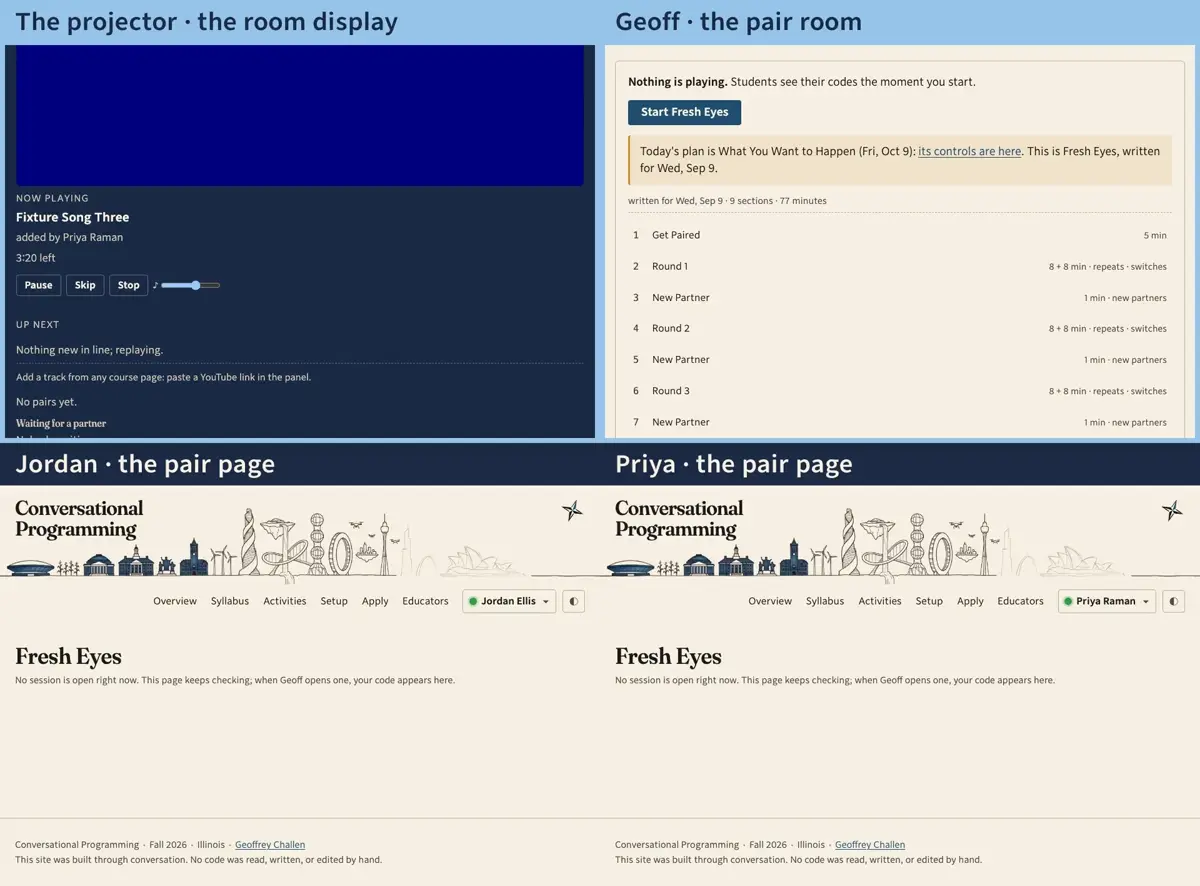
    Step 12: After class Geoff stops the session. The display goes back to waiting for the next one, but the music doesn't: the queue is the course's, and whatever didn't play today plays first next time.

Recorded October 19, 2026.