


Conversational
Programming
A hand-drawn skyline: the Illinois campus inked on the left gives way to an imagined future city, then to pencil sketches, then to a bare horizon line running off the page.

Walkthroughs

Show and Tell

Everyone presents their website to the whole room from their own laptop, with nothing plugged into the projector, while the rest of the room looks at the site and sends notes and questions. The students' screens here are stand-ins drawn by the test rig, since a recording can't show someone's real desktop.

4 minutes · 19 steps · 4 screens at once, in step with each other: The projector · the room display · Geoff · the room · Priya · presenting · Jordan · in the room. Captions are burned in and also available as a track.

What You're Looking At

This is a rehearsal, not a class. The students are invented: they're the personas we use to test this course on itself. Wherever an agent or a companion speaks, its words were generated by gpt-5.6-luna, the model the course ran on until September 24, recorded once and replayed since so the run comes out the same every time. Everything else is the software students use: the real pages, the real proxy, the real timer, the real companion.

Three kinds of substitution are made for publication, and only these three. Where a screen would show the rehearsal rig's own 127.0.0.1 address or its scratch folder, it reads as the real one instead. A setup token is shortened, because a token should never be shown whole even when it's a throwaway from a test database. And where a film needs a website that isn't anybody's, a student's own site or one a student went and found, it is an invented page served by the rig, shown under an address ending in .example. Nothing else on any screen is altered.

The brief the students actually read is the activity page.

Step by Step

  1. 010:00Geoff · the room · The projector · the room display

    Show and Tell's own controls, linked from its activity page. Geoff presses Start, and the room is on Check In.
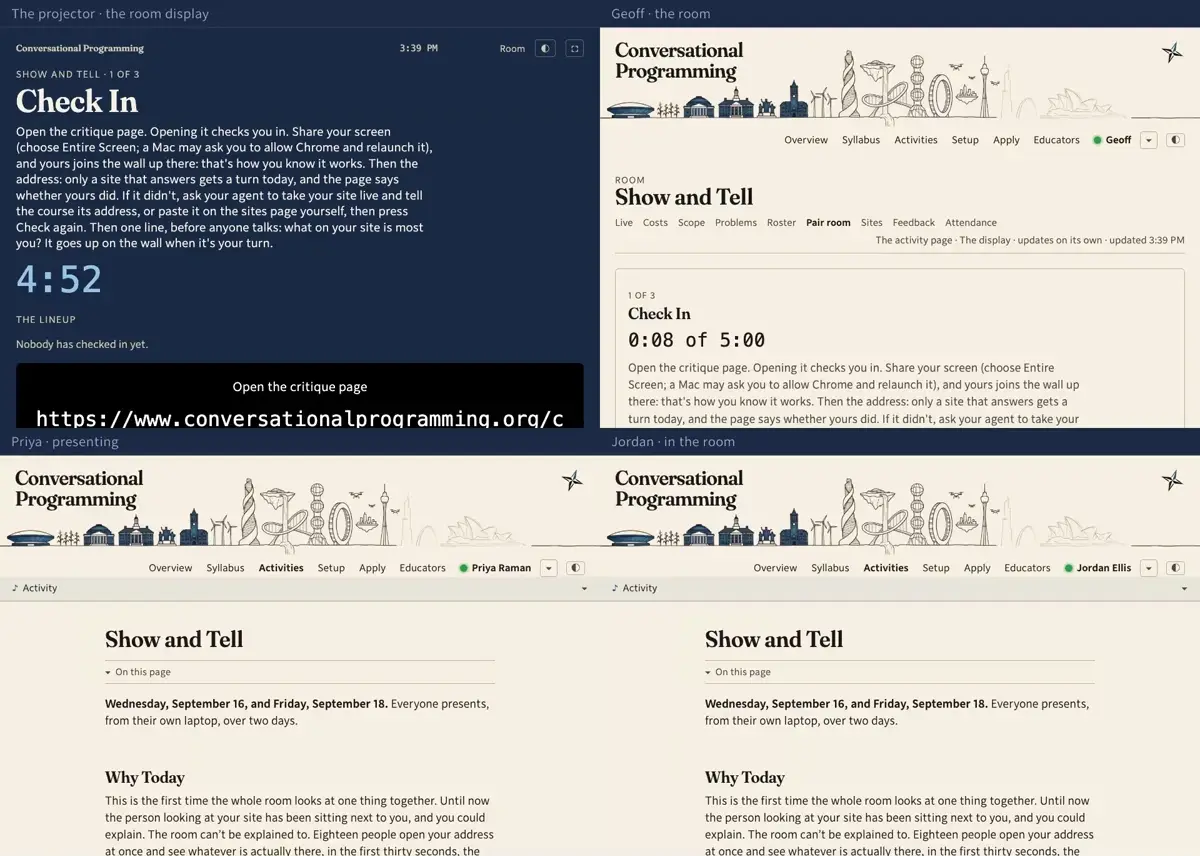
    Step 1: Show and Tell's own controls, linked from its activity page. Geoff presses Start, and the room is on Check In.
  2. 020:10Priya · presenting · Jordan · in the room

    Priya and Jordan open the critique page. Opening it is the check-in: it puts them in the room and in the queue, and there is nothing to sign. The queue is for sites that answer, so the page looks at each of their addresses as they arrive and says what it found.
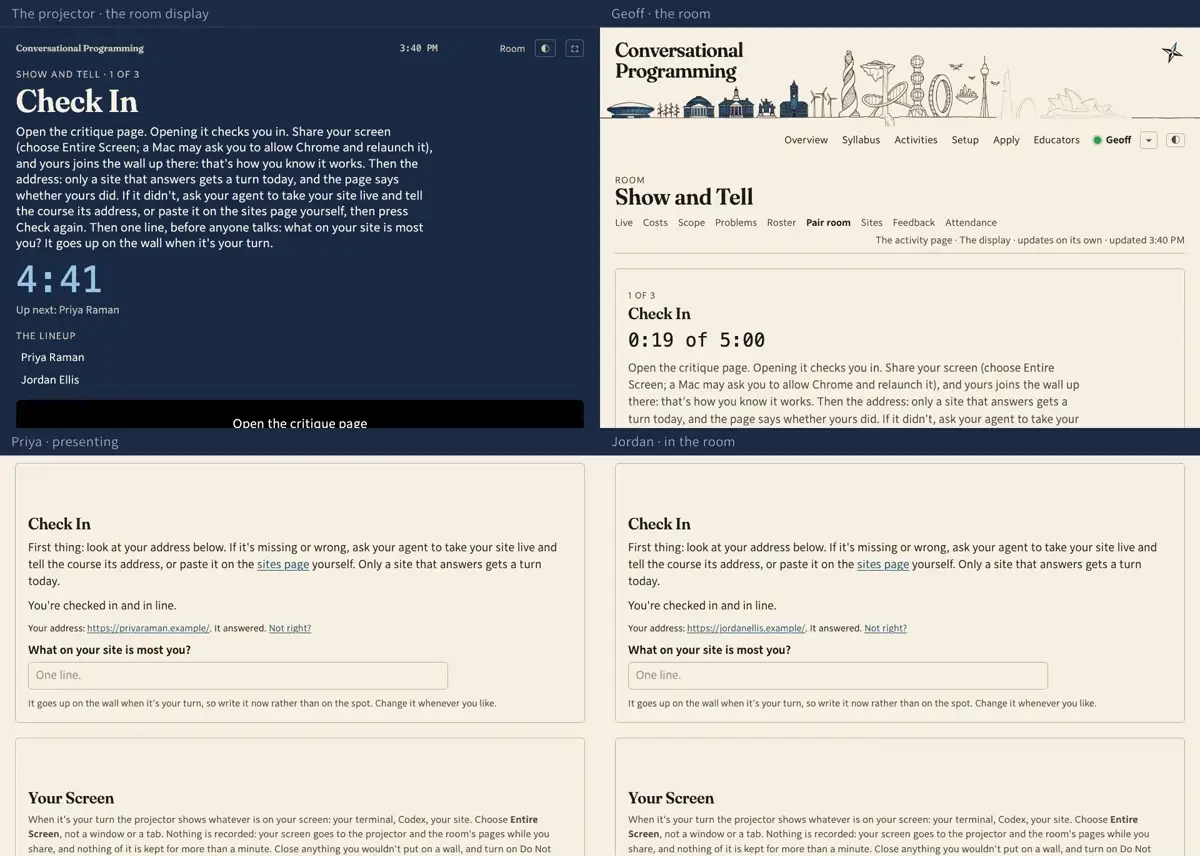
    Step 2: Priya and Jordan open the critique page. Opening it is the check-in: it puts them in the room and in the queue, and there is nothing to sign. The queue is for sites that answer, so the page looks at each of their addresses as they arrive and says what it found.
  3. 030:22Priya · presenting · Jordan · in the room

    Each of them writes one line before anyone has spoken: what on your site is most you. It goes up beside their name when their turn comes, so nobody has to think of it on the spot.
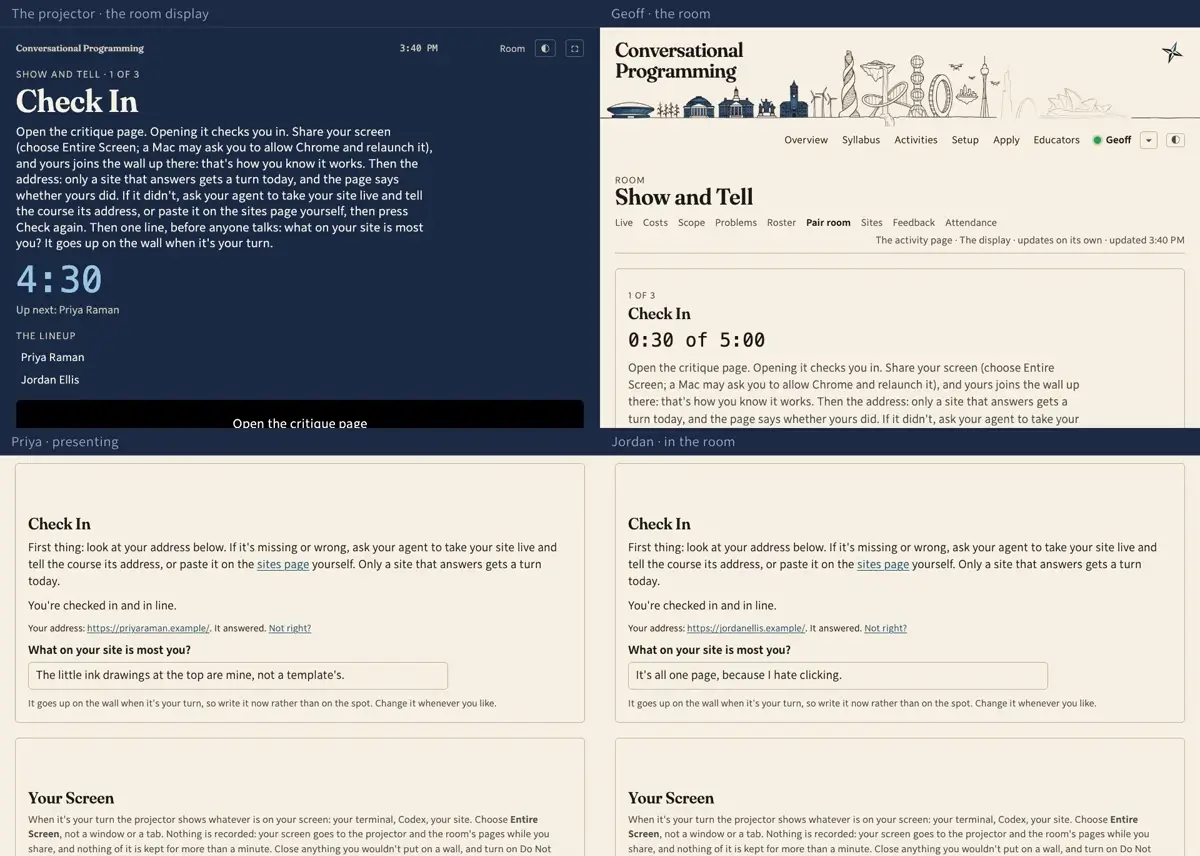
    Step 3: Each of them writes one line before anyone has spoken: what on your site is most you. It goes up beside their name when their turn comes, so nobody has to think of it on the spot.
  4. 040:33Priya · presenting · Jordan · in the room

    Then they share their screens: the whole desktop, not a window. Nothing is plugged into the projector and nothing is recorded—the picture goes up while they share and is gone when they stop.
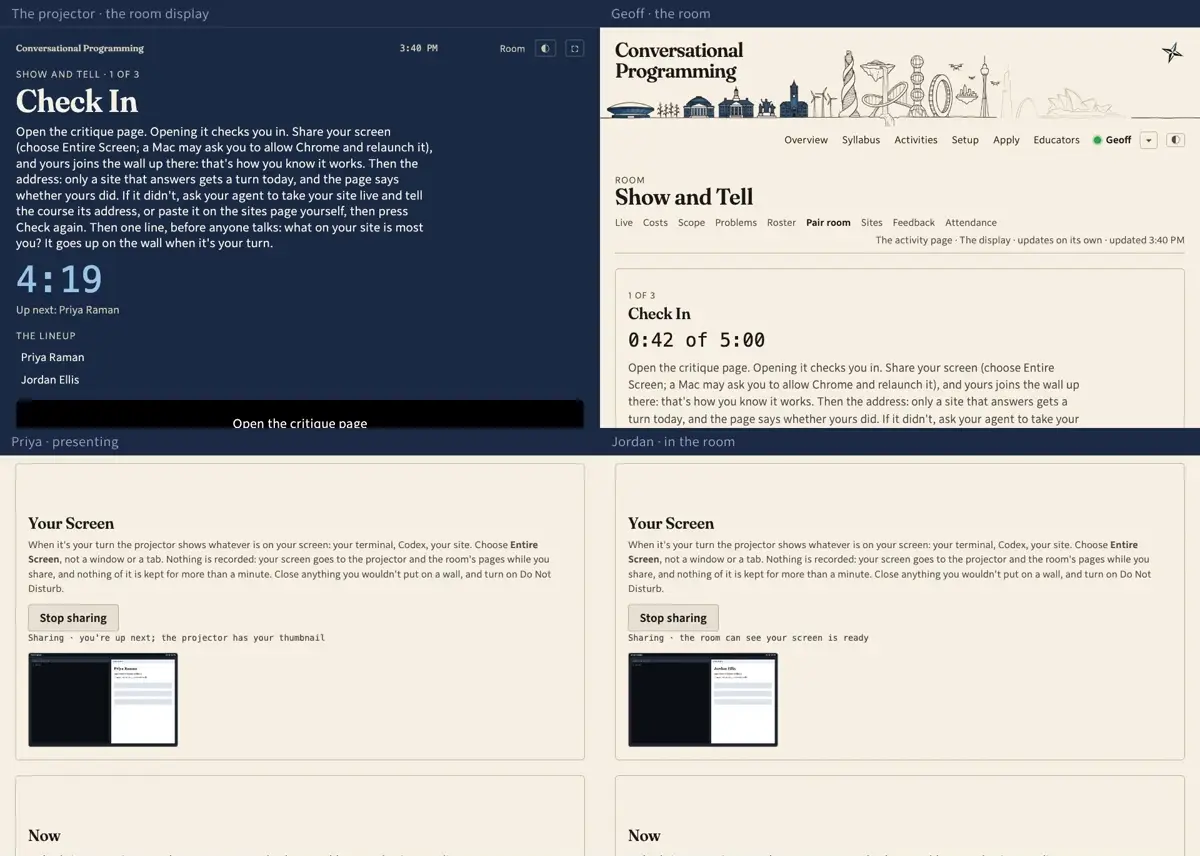
    Step 4: Then they share their screens: the whole desktop, not a window. Nothing is plugged into the projector and nothing is recorded—the picture goes up while they share and is gone when they stop.
  5. 050:44The projector · the room display

    The projector answers with a wall of every screen in the room. That is how a student knows their sharing works, and how Geoff knows who is here: a name without a picture hasn't got it going yet.
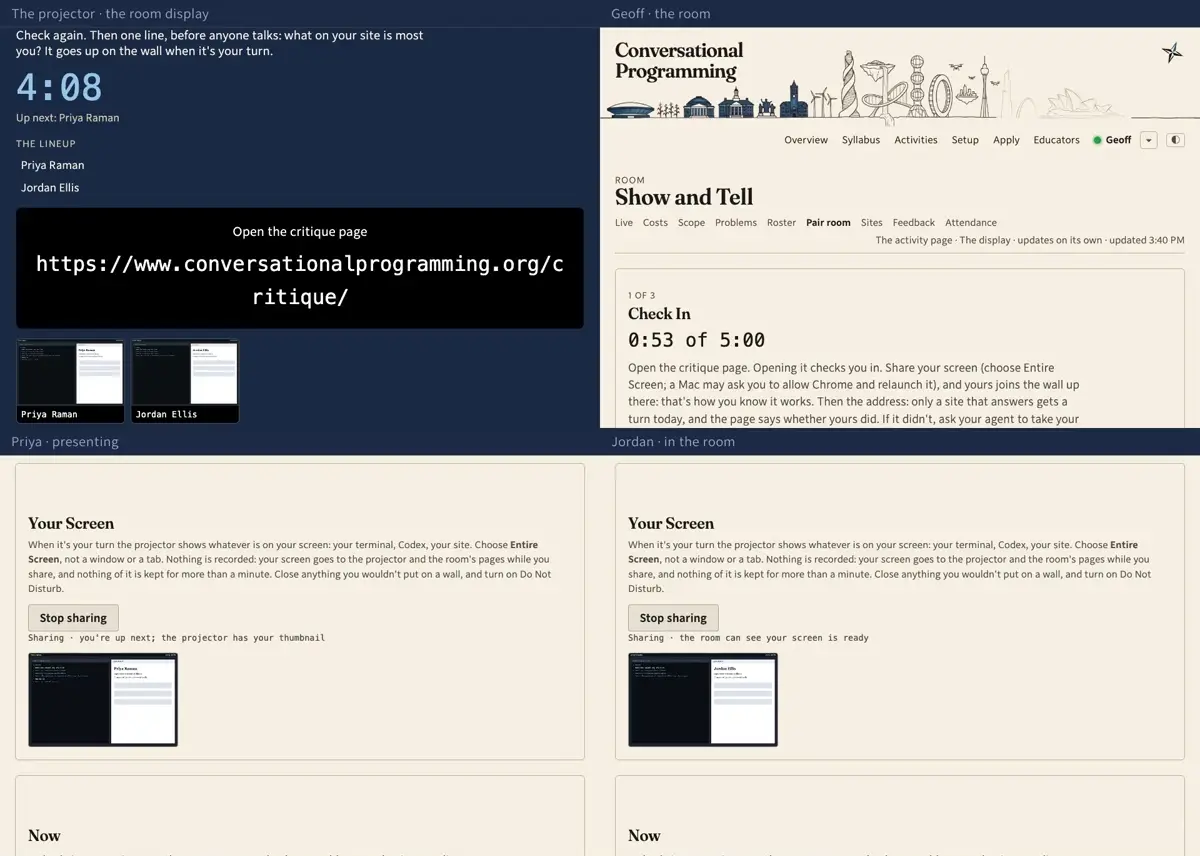
    Step 5: The projector answers with a wall of every screen in the room. That is how a student knows their sharing works, and how Geoff knows who is here: a name without a picture hasn't got it going yet.
  6. 060:55Geoff · the room

    Geoff presses Next into Turns. Seven minutes each, and the section repeats until everyone has had one; a day that runs short spills into the next.
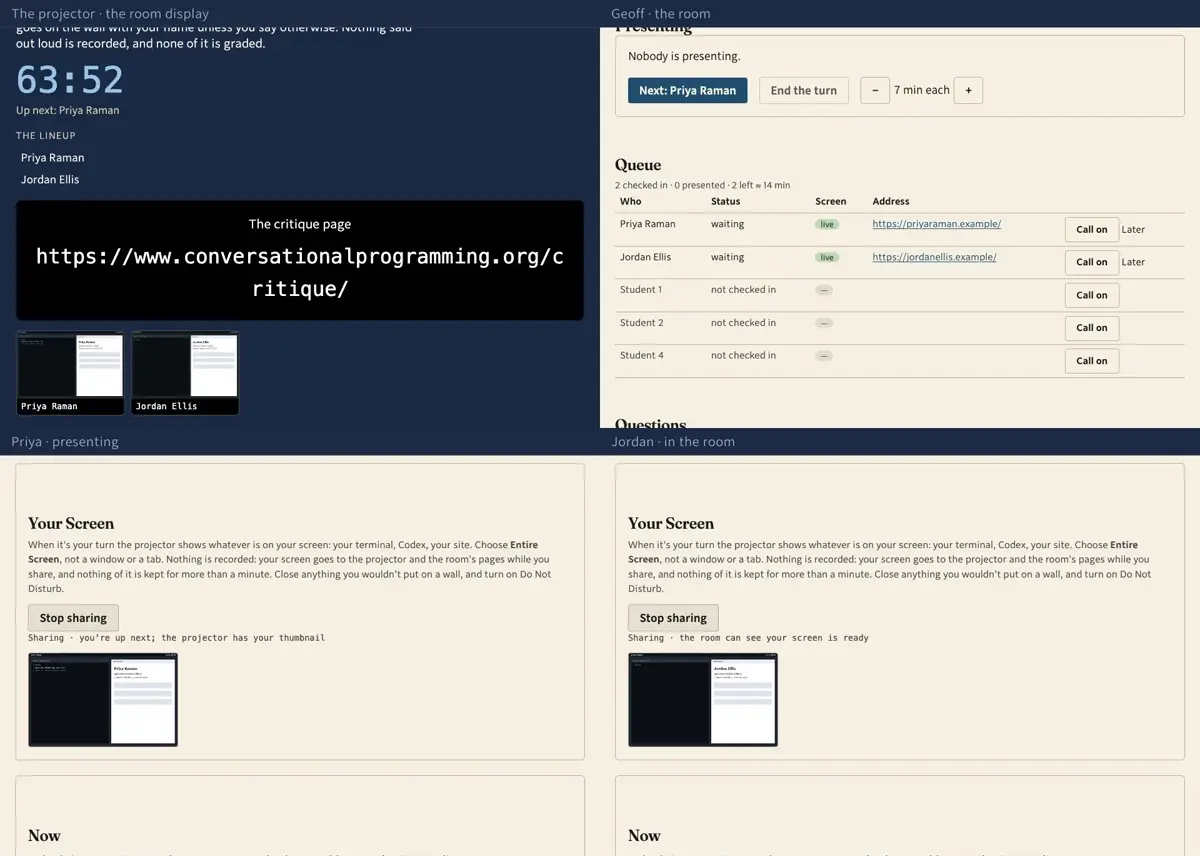
    Step 6: Geoff presses Next into Turns. Seven minutes each, and the section repeats until everyone has had one; a day that runs short spills into the next.
  7. 071:05Geoff · the room · The projector · the room display

    Then he presses Next again, and the queue answers: Priya hasn't presented, so she is up. Her screen goes on the projector with her name, her address, her line, and a countdown.
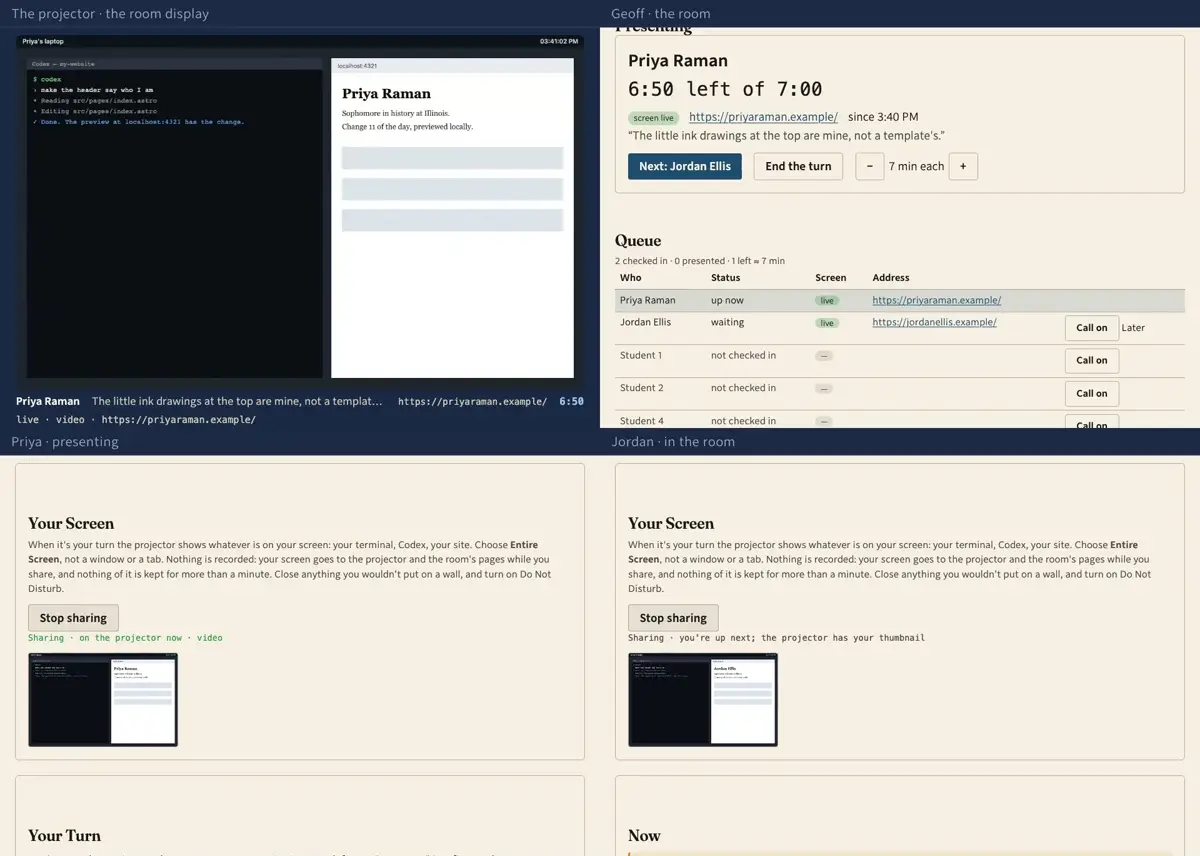
    Step 7: Then he presses Next again, and the queue answers: Priya hasn't presented, so she is up. Her screen goes on the projector with her name, her address, her line, and a countdown.
  8. 081:18The projector · the room display

    Beside the screen, the lineup: whoever is next at the top, then the order of the room. Jordan's screen is already there, so the room can see his sharing works before he is standing in front of it.
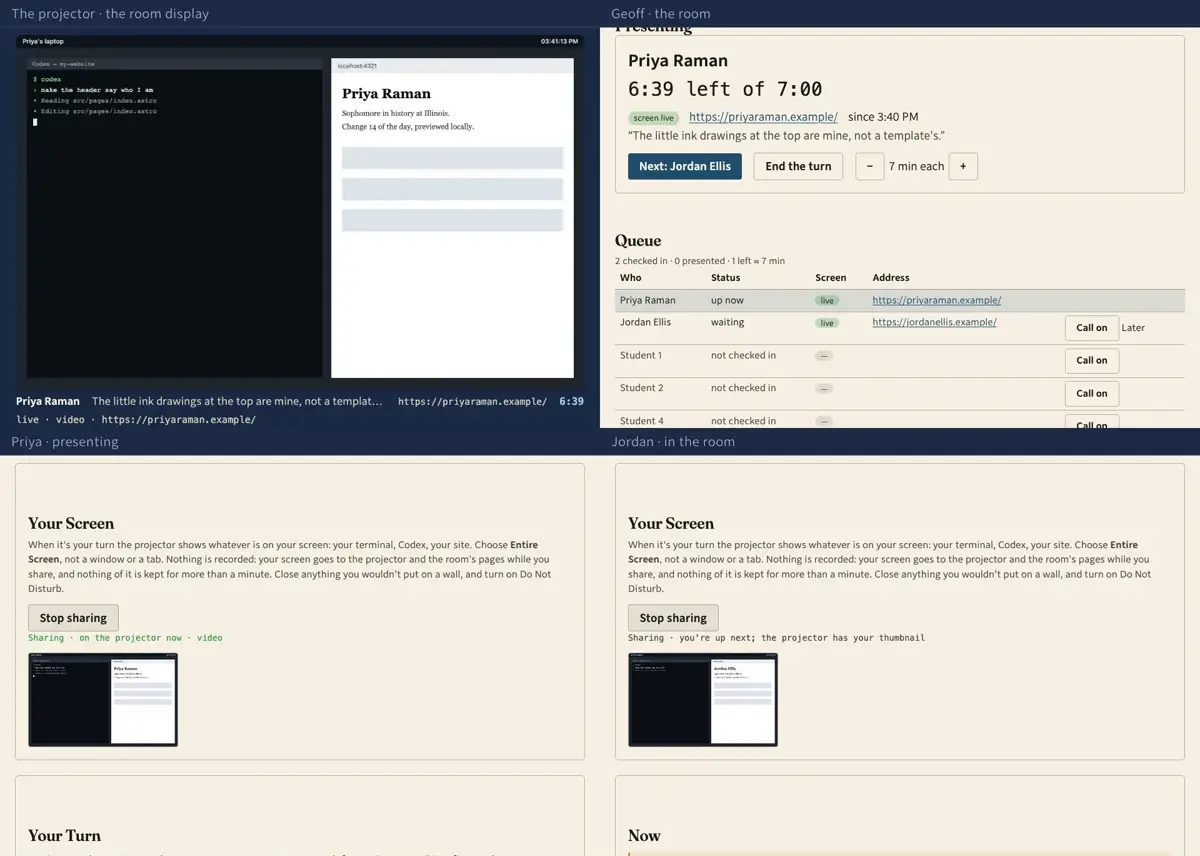
    Step 8: Beside the screen, the lineup: whoever is next at the top, then the order of the room. Jordan's screen is already there, so the room can see his sharing works before he is standing in front of it.
  9. 091:29Priya · presenting · Jordan · in the room

    Priya's own page says she's on. Everyone else gets her address, because the screen on the wall is not the thing to look at: the site is, in your own window, the way a stranger would meet it.
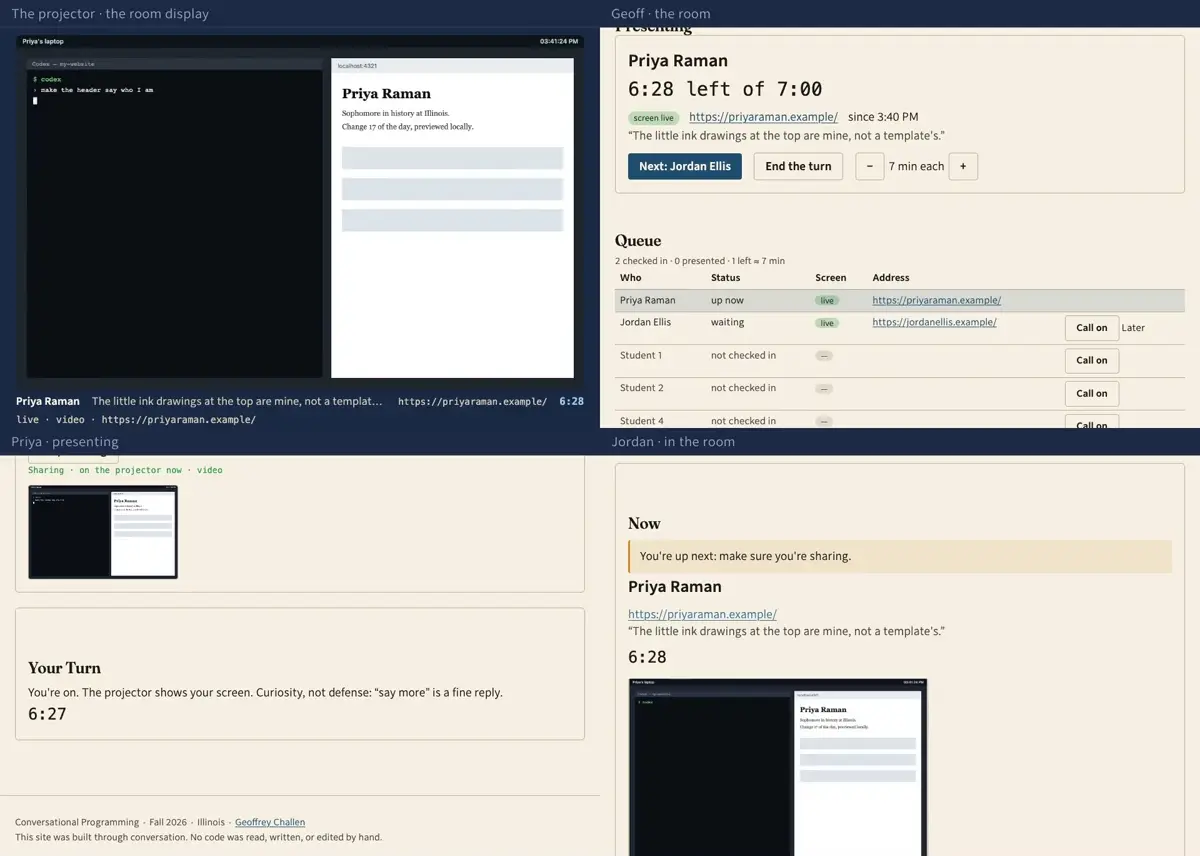
    Step 9: Priya's own page says she's on. Everyone else gets her address, because the screen on the wall is not the thing to look at: the site is, in your own window, the way a stranger would meet it.
  10. 101:40Priya · presenting · The projector · the room display

    She has seven minutes, and she is asked the same two things as everyone else: what about this site is you, and show us a change—on your laptop first, then live.
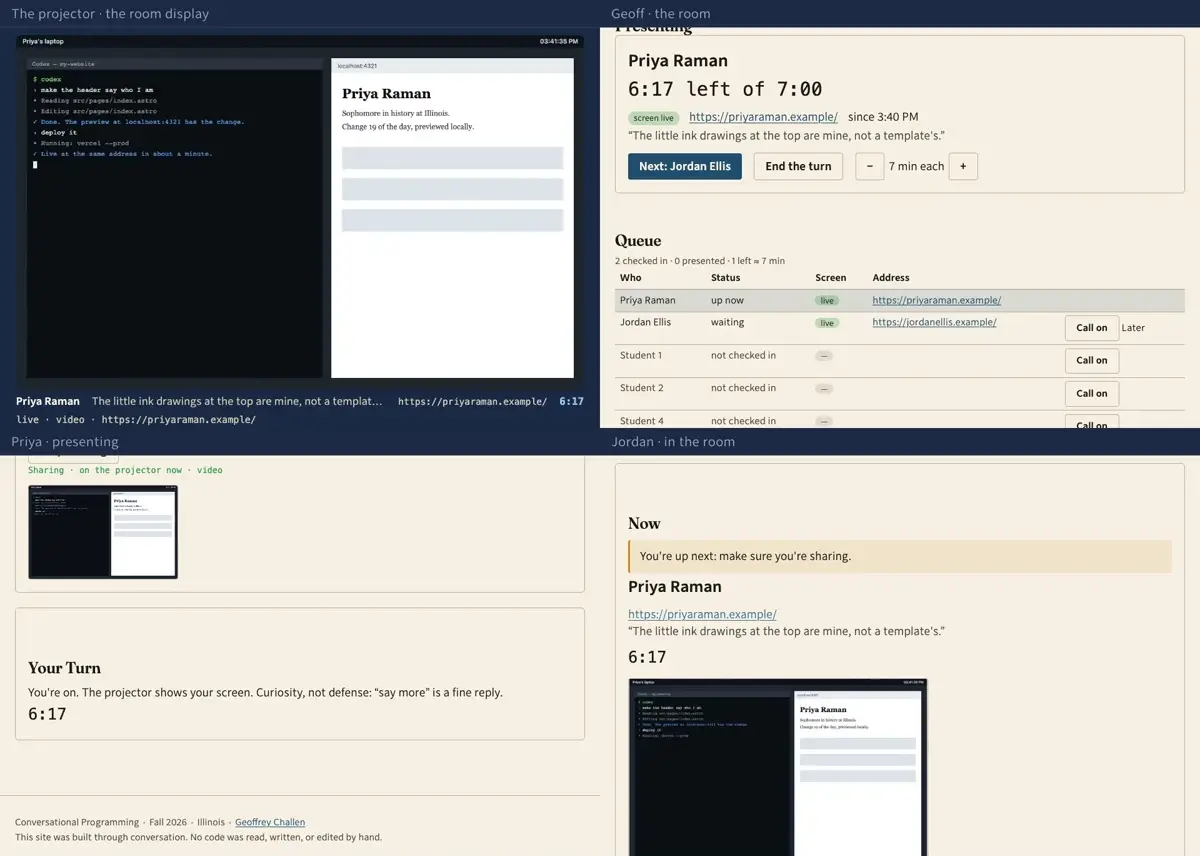
    Step 10: She has seven minutes, and she is asked the same two things as everyone else: what about this site is you, and show us a change—on your laptop first, then live.
  11. 111:50Priya · presenting · Jordan · in the room

    Starting the deploy early is the trick: it takes a minute to show at her real address, and that minute is when the room asks her something rather than watching her wait.
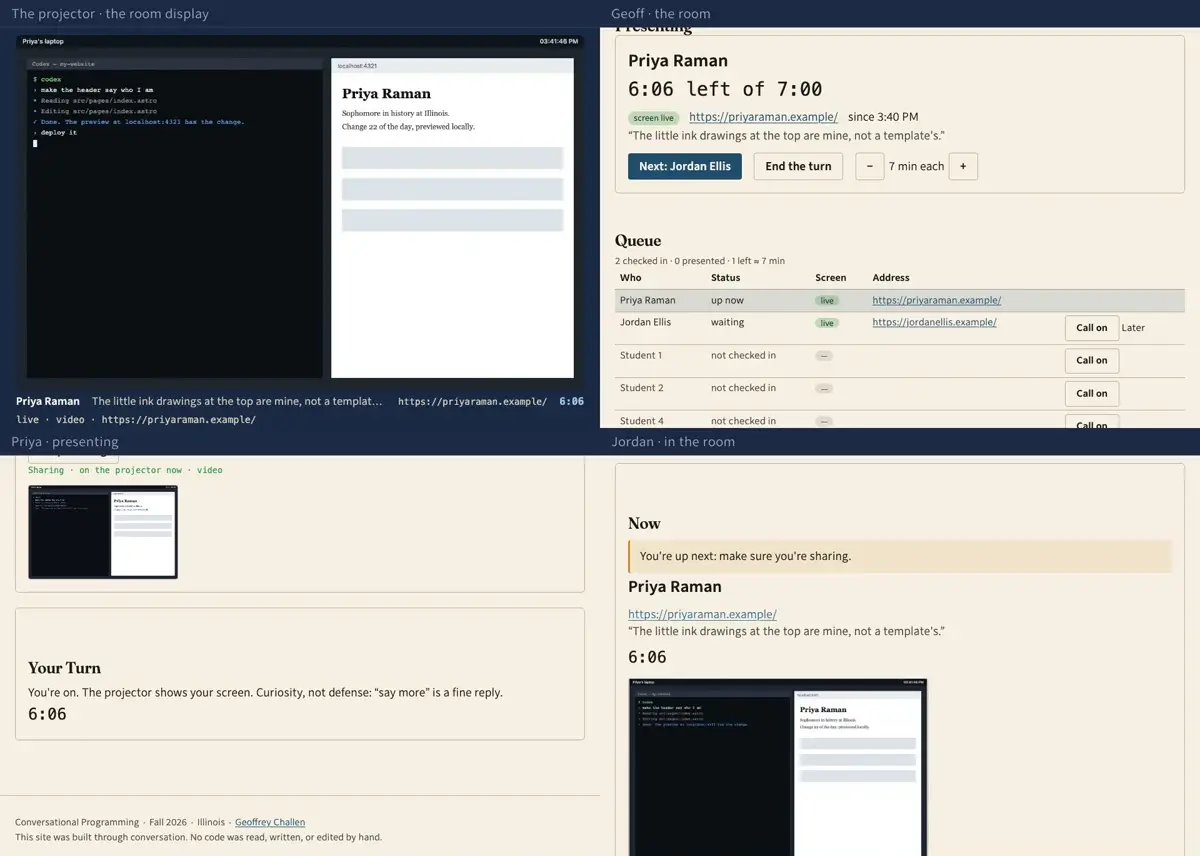
    Step 11: Starting the deploy early is the trick: it takes a minute to show at her real address, and that minute is when the room asks her something rather than watching her wait.
  12. 122:01Jordan · in the room

    Jordan says what he saw to the companion on his own page. It can read her site but it can't see it, and it will not write his note for him: the words that reach her have to be his.
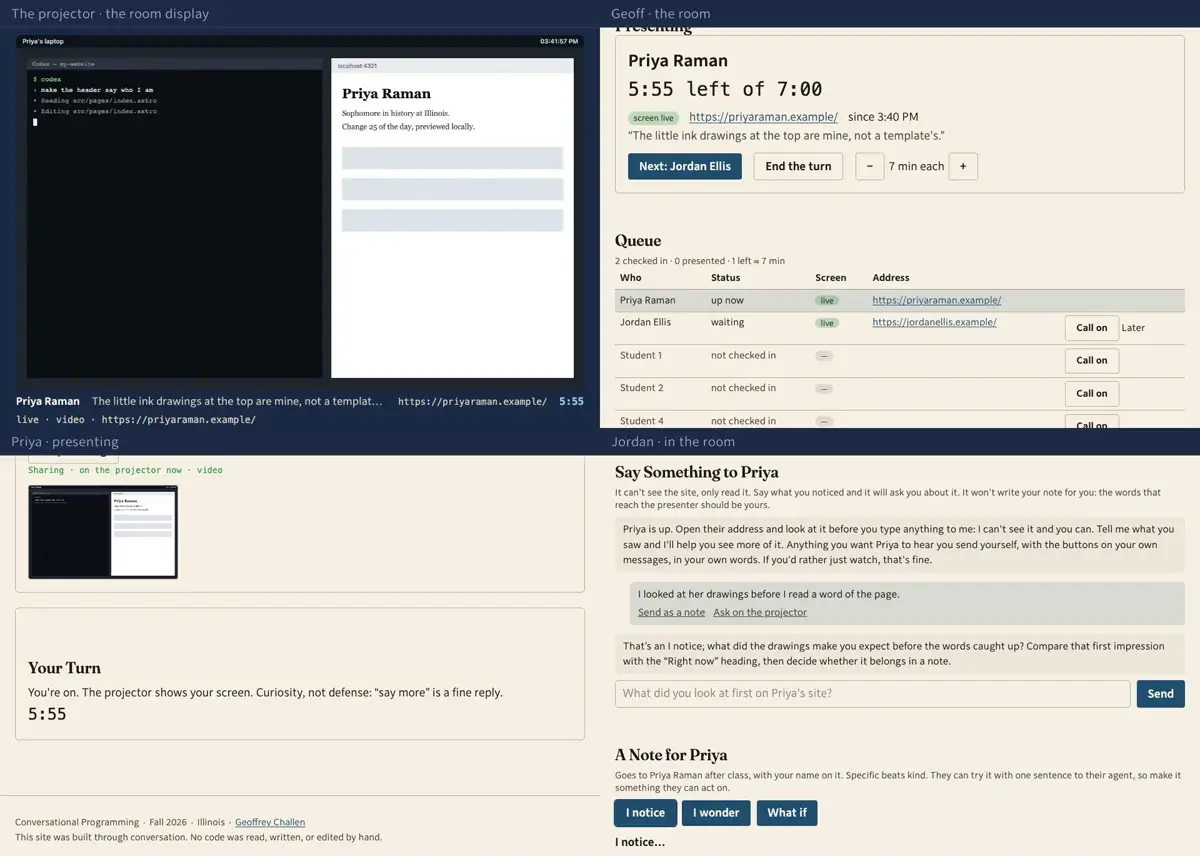
    Step 12: Jordan says what he saw to the companion on his own page. It can read her site but it can't see it, and it will not write his note for him: the words that reach her have to be his.
  13. 132:12Jordan · in the room

    Every one of his own messages carries the two ways out of the chat: send it as a note, or ask it on the projector. Either one fills the box below with his words, never the companion's.
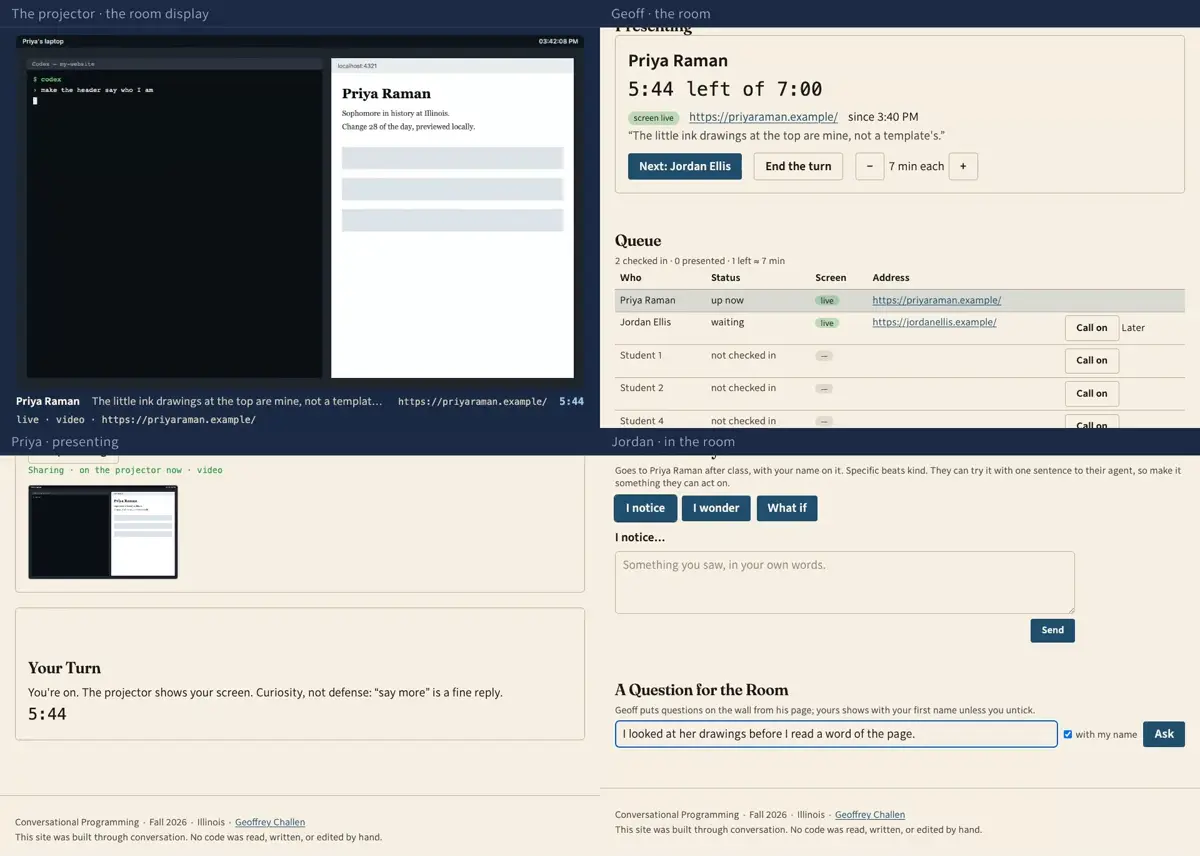
    Step 13: Every one of his own messages carries the two ways out of the chat: send it as a note, or ask it on the projector. Either one fills the box below with his words, never the companion's.
  14. 142:23Jordan · in the room

    He makes it a question in his own words and sends it with his name on it. Untick the box and the wall says it came from the room instead.
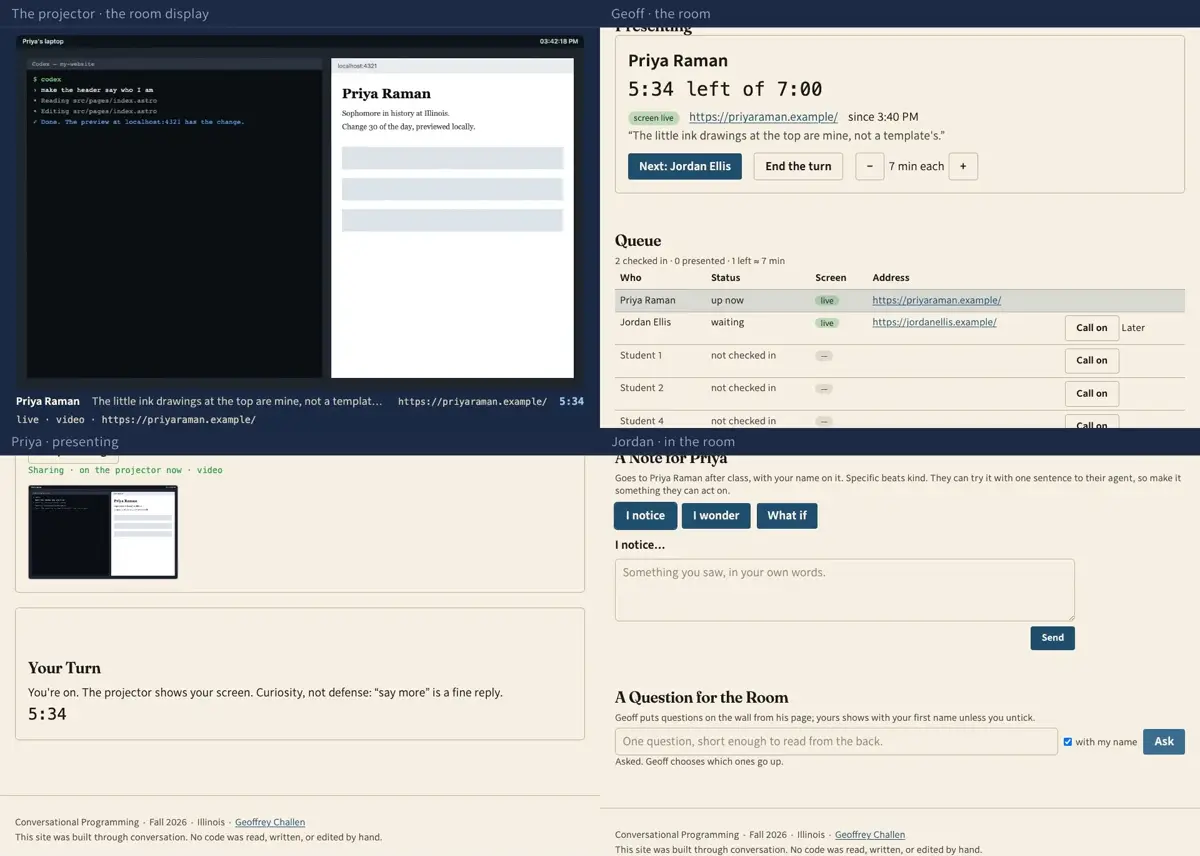
    Step 14: He makes it a question in his own words and sends it with his name on it. Untick the box and the wall says it came from the room instead.
  15. 152:33Geoff · the room · The projector · the room display

    It lands on Geoff's page with everyone else's. He presses Show the next one while Priya's deploy is still landing, and it goes up on the wall with Jordan's first name on it.
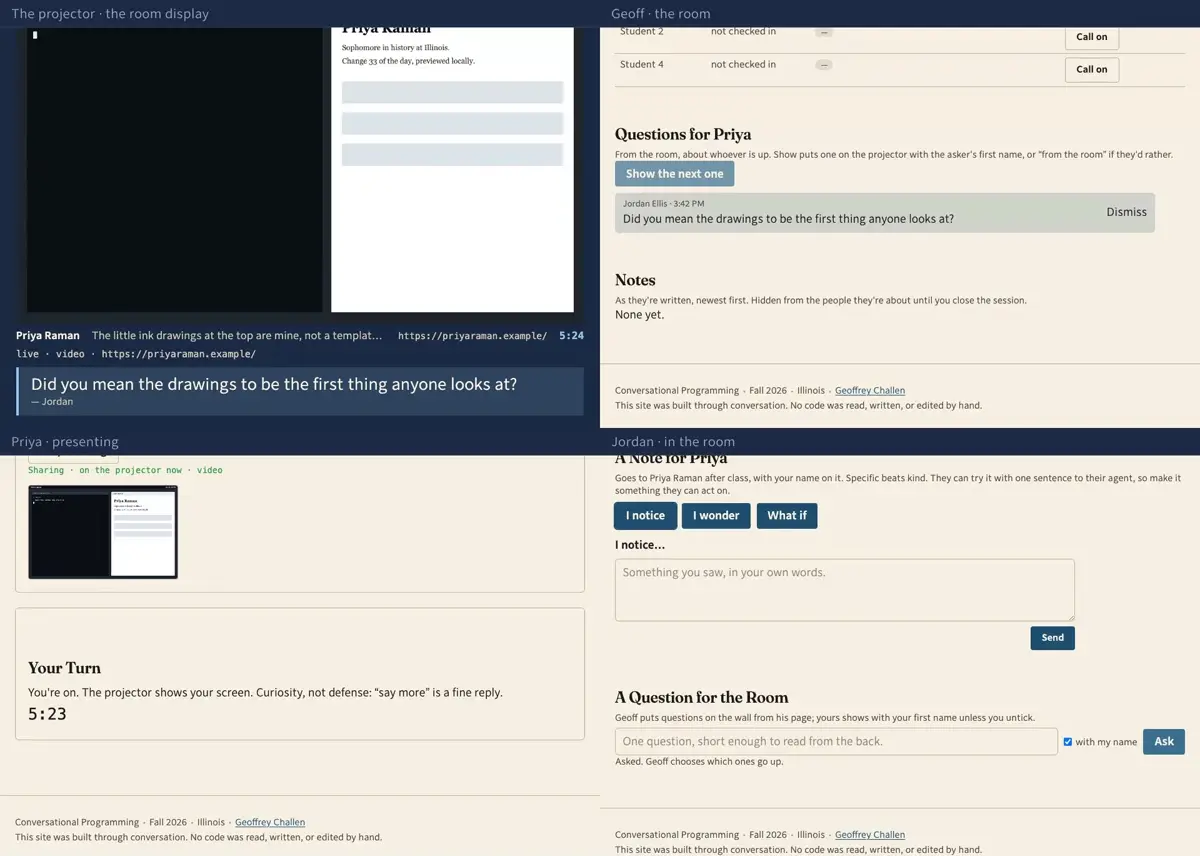
    Step 15: It lands on Geoff's page with everyone else's. He presses Show the next one while Priya's deploy is still landing, and it goes up on the wall with Jordan's first name on it.
  16. 162:44Jordan · in the room · Priya · presenting

    The other thing he can send is a note, which Priya reads after class rather than while she is standing in front of the room. I notice, I wonder, what if: the three shapes they have been using since the first week.
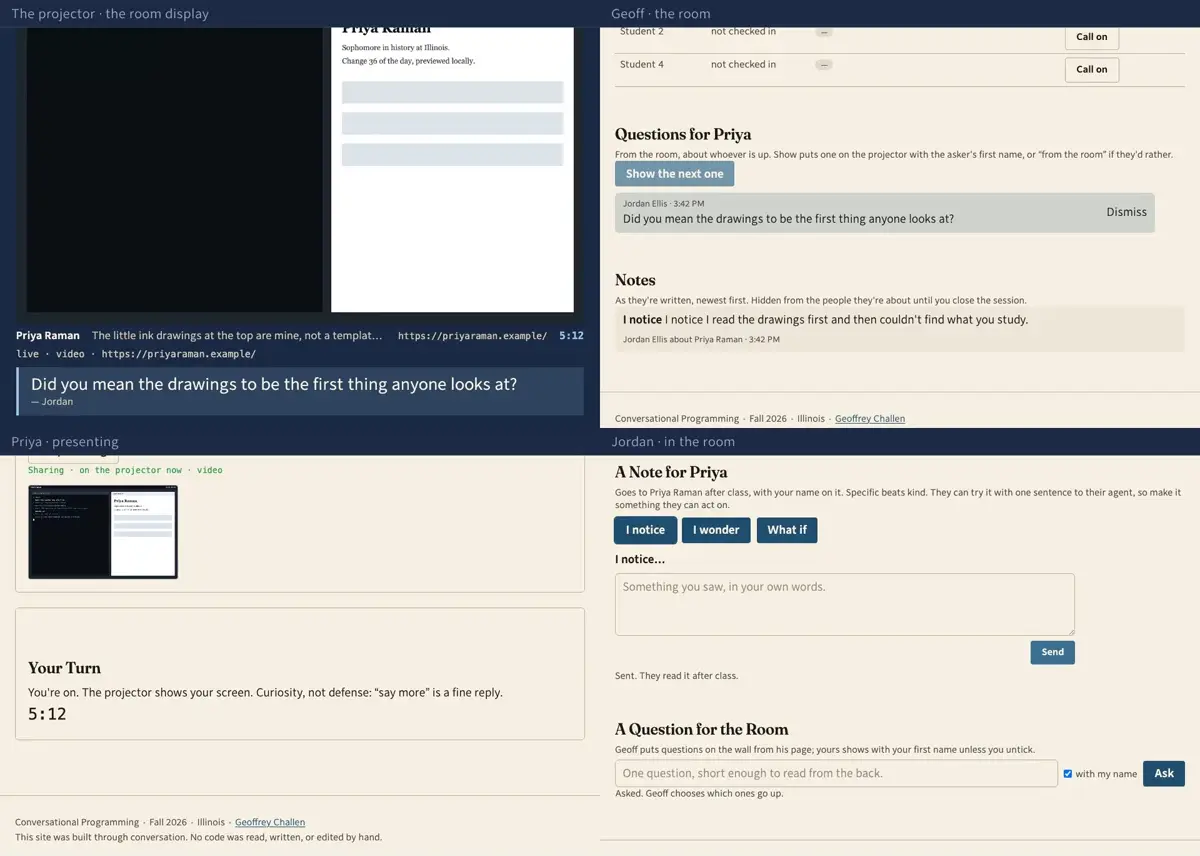
    Step 16: The other thing he can send is a note, which Priya reads after class rather than while she is standing in front of the room. I notice, I wonder, what if: the three shapes they have been using since the first week.
  17. 172:55Geoff · the room · The projector · the room display · Priya · presenting · Jordan · in the room

    Priya answers it. Then Next: her turn ends and Jordan's begins, her question comes off the wall with it, and now she is the one looking at someone else's site. No cable, no swapping laptops, nothing to plug in.
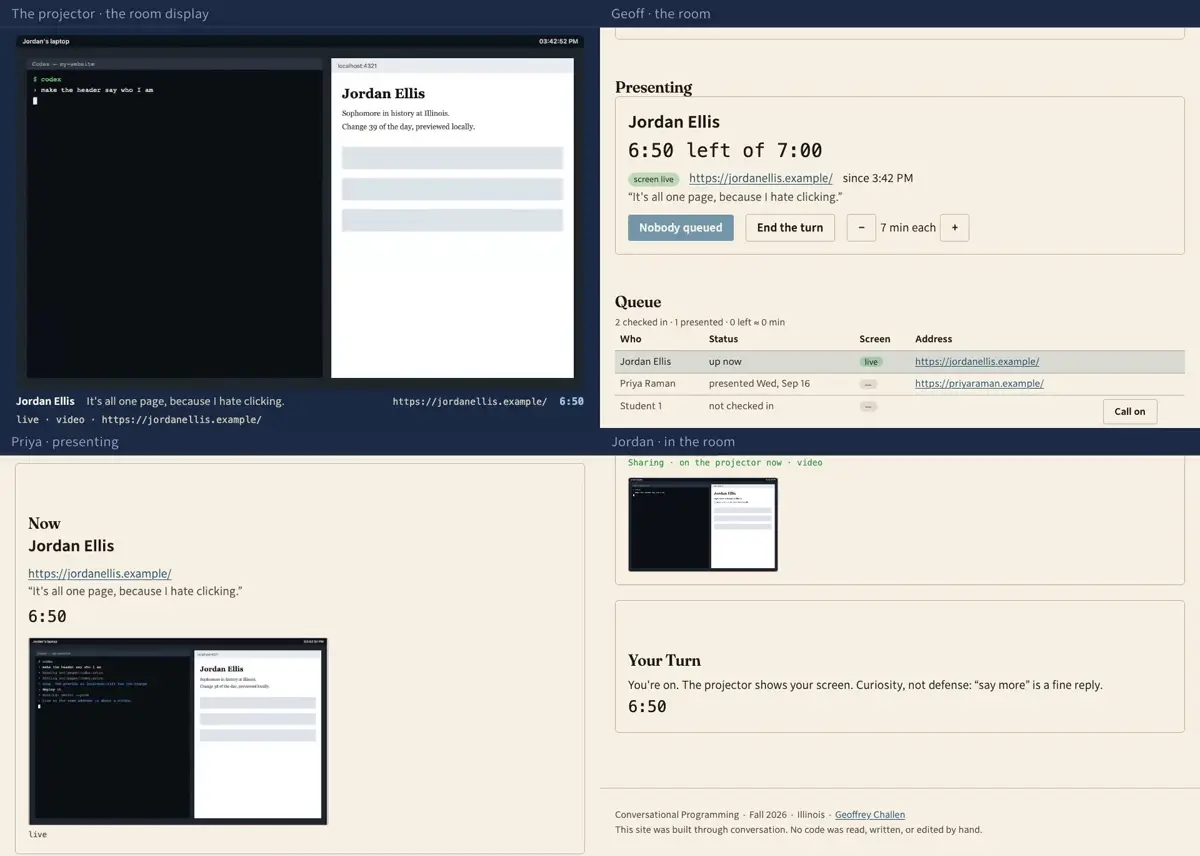
    Step 17: Priya answers it. Then Next: her turn ends and Jordan's begins, her question comes off the wall with it, and now she is the one looking at someone else's site. No cable, no swapping laptops, nothing to plug in.
  18. 183:08Geoff · the room · Priya · presenting

    Seven more turns go the same way, and whoever the day doesn't reach is first on Friday. The last section sends everyone to the feedback conversation; then Geoff stops the session, twice, so it can't happen by accident.
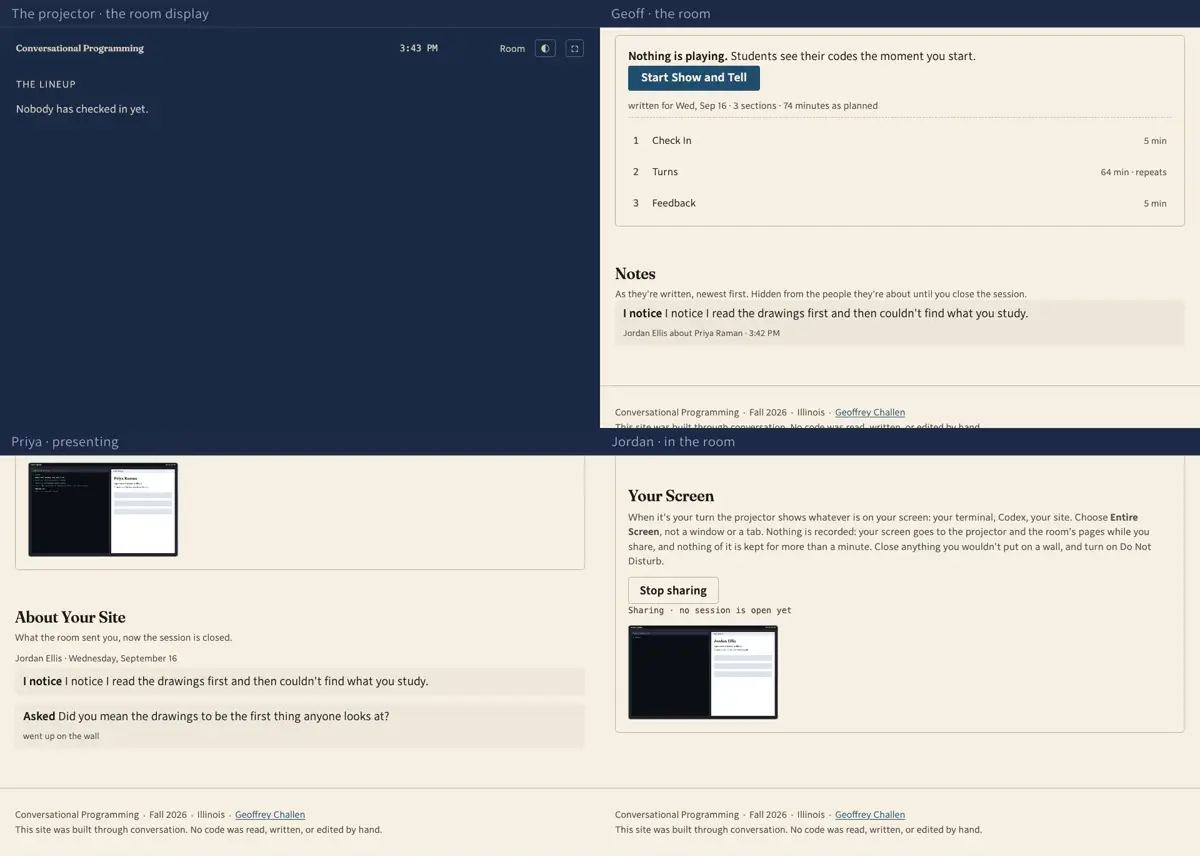
    Step 18: Seven more turns go the same way, and whoever the day doesn't reach is first on Friday. The last section sends everyone to the feedback conversation; then Geoff stops the session, twice, so it can't happen by accident.
  19. 193:22Priya · presenting

    Closed, and only now does Priya read what the room sent her: Jordan's note, with his name on it, and the question that went up on the wall. Nothing is handed in, and nothing is graded.
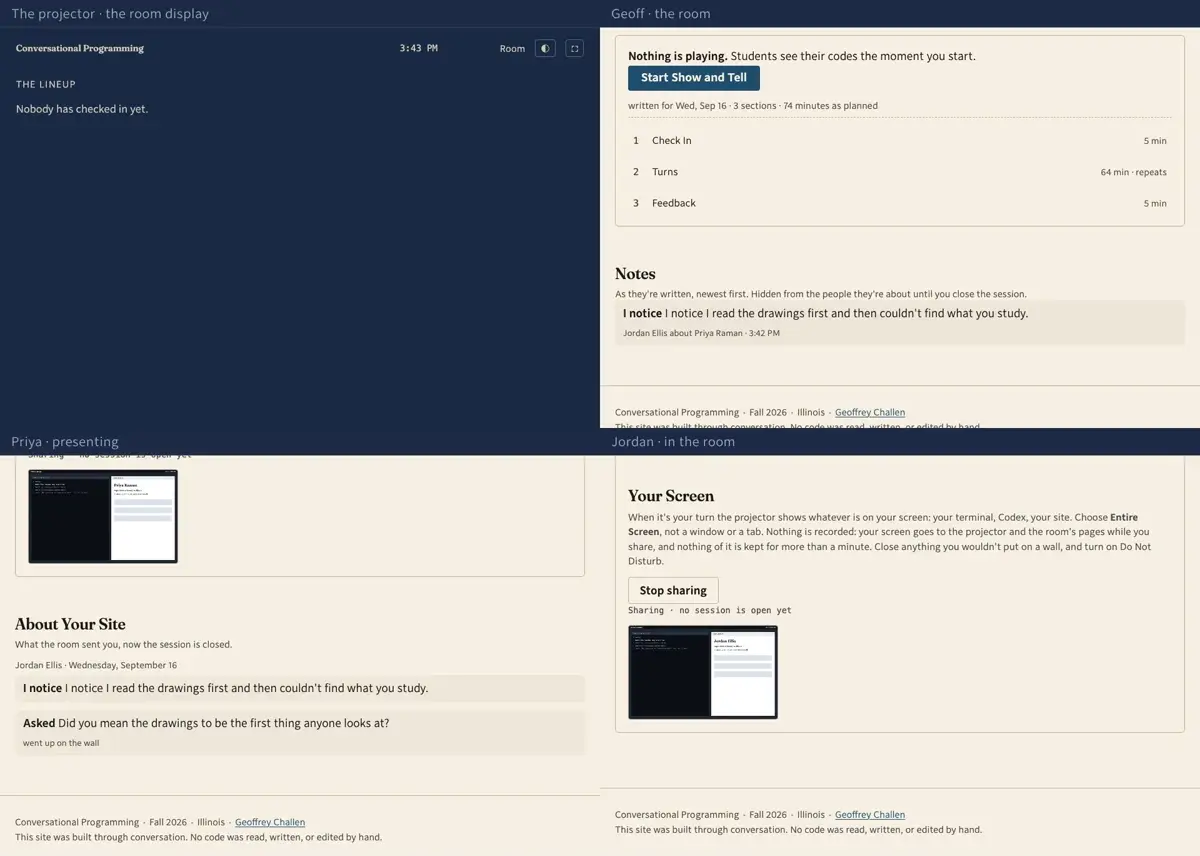
    Step 19: Closed, and only now does Priya read what the room sent her: Jordan's note, with his name on it, and the question that went up on the wall. Nothing is handed in, and nothing is graded.

Recorded September 16, 2026.